
VF202 人脸识别门禁机
VF202 人脸识别门禁机使用手册:涵盖产品简介、产品特性、参数规格、产品外观、接口定义、设备使用说明、安装方法与注意事项。
前言
感谢使用 VF202 人脸识别设备。认真阅读本文档,可以帮助您了解此设备功能、特点,以及快速掌握设备的使用、安装方法。
产品简介
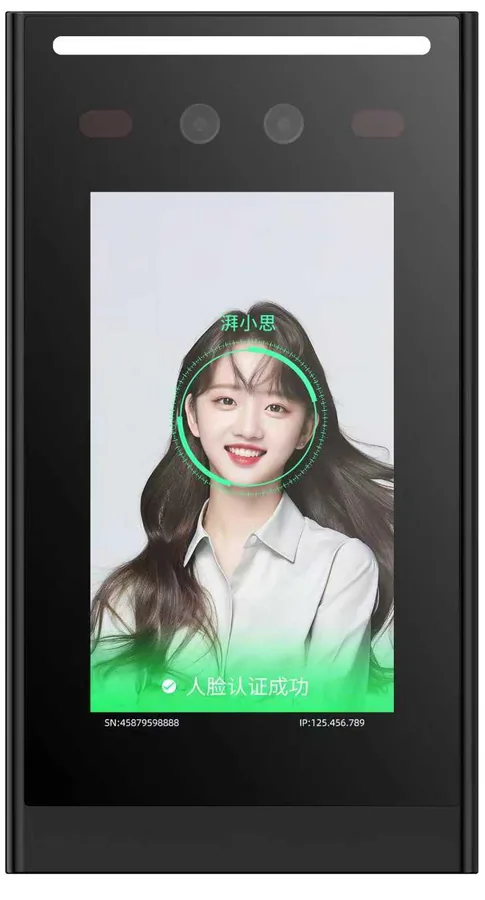
VF202 采用 Linux 操作系统,存储容量 8GB,有 RS485、韦根、以太网、4G 多种通讯方式,人脸识别采用本地验证方式,人脸库存放在设备本地,验证成功后可以输出人员 ID,输出方式同样可以采用以上四种方式中的一种。VF202 同时还支持屏下刷卡和蓝牙无线开门,提供多种通行方式。
本产品特色点为具有 5 寸高清屏、语音播报,具备良好的互动性和易用性。
产品特性
5 英寸液晶显示屏和语音播报,真人语音提示,百万像素双目摄像头。
99%以上识别准确率,毫秒级识别速率。
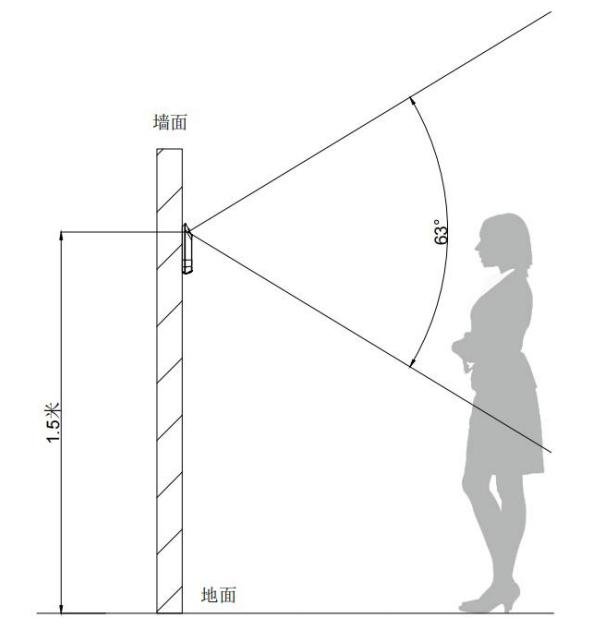
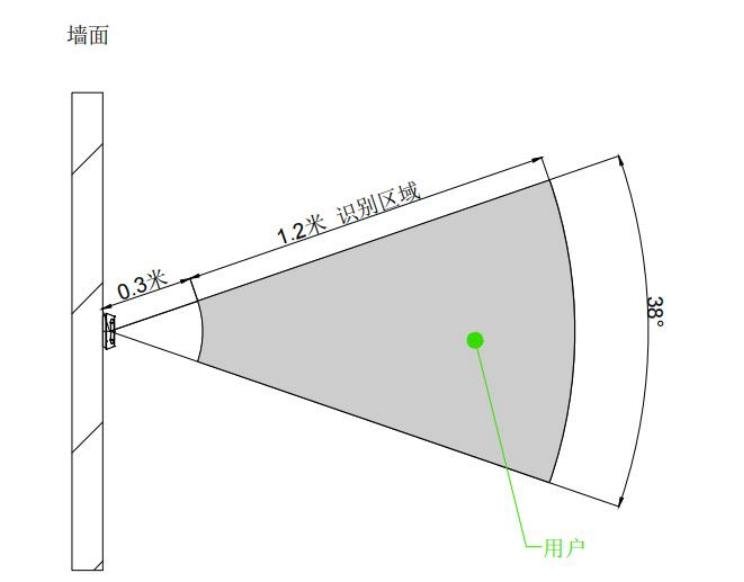
人脸识别距离 0.3m-1.5m,支持 2000 人脸库,支持 10000 张 IC 卡,50000 条以上记录。
内置静默活体检测,可有效阻挡照片、视频和面具攻击。
支持 MQTT 协议。
预留 RS485、韦根输出人脸 ID 号。
内置高精度时钟芯片和 RTC 电池,断电可保存时间。
配合专用门禁程序,注册、设置更便捷。
支持 logo 定制。
支持自定义屏保壁纸。
参数规格
【产品参数 / 系统参数】 操作系统:Linux 存储容量:8GB 处理器:ARM Cortex A7 MP2 1GHz NPU:0.6 TOPS 算力
【显示屏】 尺寸:5 寸液晶显示屏 分辨率:480*854
【通讯方式】 有线:1 路 10/100M 自适应网口 无线:可扩展支持 4G 1 路 RS485 1 路韦根 26/韦根 34
【物理接口】 继电器:30V1A 2 路报警信号输入接口
【电源供电】 供电电压:9~24V(DC)(推荐 12V 供电) 功耗:Max.7W
【摄像头】 RGB 摄像头视场角:D=70.3° H=63° V=38° 光圈:2.0 分辨率:1920*1080 焦距:4.35MM 红外摄像头视场角:D=68° H=60° V=37° 光圈:2.2 分辨率:1616*1232 焦距:2.35MM
【扬声器】 内置 8Ω 2W 扬声器
【材质】 防火 PC+有机玻璃
【工作温湿度】 工作温度:-20℃~55℃ 工作湿度:10%~90%(无凝结)
【防护等级】 静电防护:接触 8KV,空气 15KV 防尘防水等级:IP54
【人脸性能参数】 算法:1:N 算法动态人脸检测(防照片、视频攻击),硬件红外活体检测(防照片、视频攻击) 人像容量:2000 张 识别距离:0.3-1.5m 通过率:≥99%(容量达到 2000 张时) 误识率:≤0.01%(容量达到 2000 张时) 识别时间:< 0.3s
【刷卡性能参数】 天线规格:13.56MHz 天线尺寸:30mm*30mm 读卡距离:0-3cm(卡片类型和规格不同刷卡距离可能不同) 支持卡类型:M1 卡、S70、Mifare Classic-4439、Mifare Classic-S50、Mifare Ultralight-MIFARE Ultralight、Mifare Ultralight-MIFARE Ultralight-C、Mifare DESFire-EV1-容量 2K/4K/8K、Mifare DESFire-EV2-容量 2K/4K/8K、Mifare DESFire-EV3-容量 2K/4K/8K、MIFARE DESFire-Light、NTAG-213/215/216、FM11RF08-4uid/7uid/32N、身份证、ISO14443B、FM1208-09-容量 8k、FM1208-9、FM1208-10
产品外观
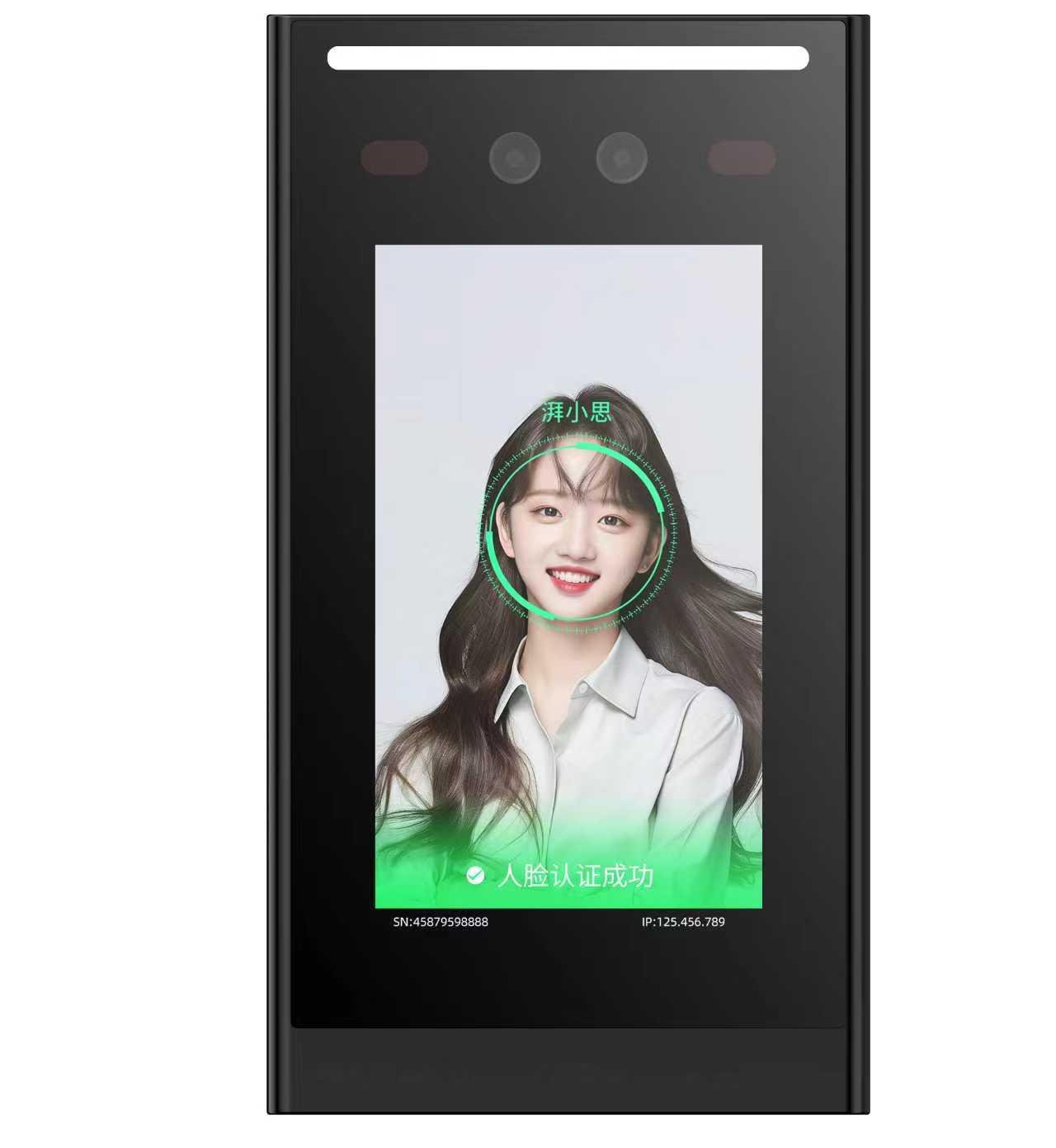
产品外观图
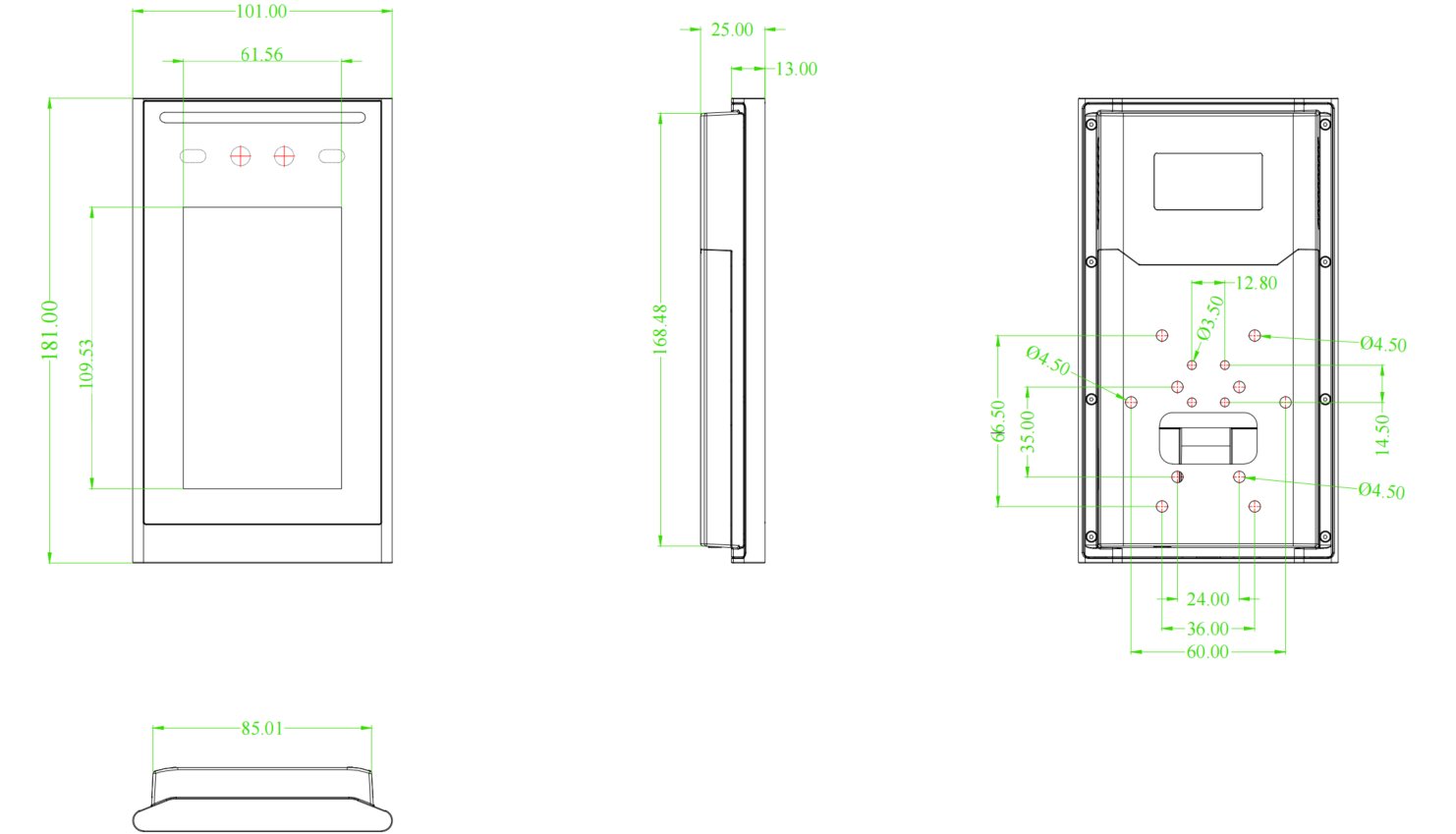
产品尺寸图
识读区域示意图
接口定义
注意设备接口引脚与线材插板的对应关系!正视线材插板,其左侧对应设备接口的第二层引脚!
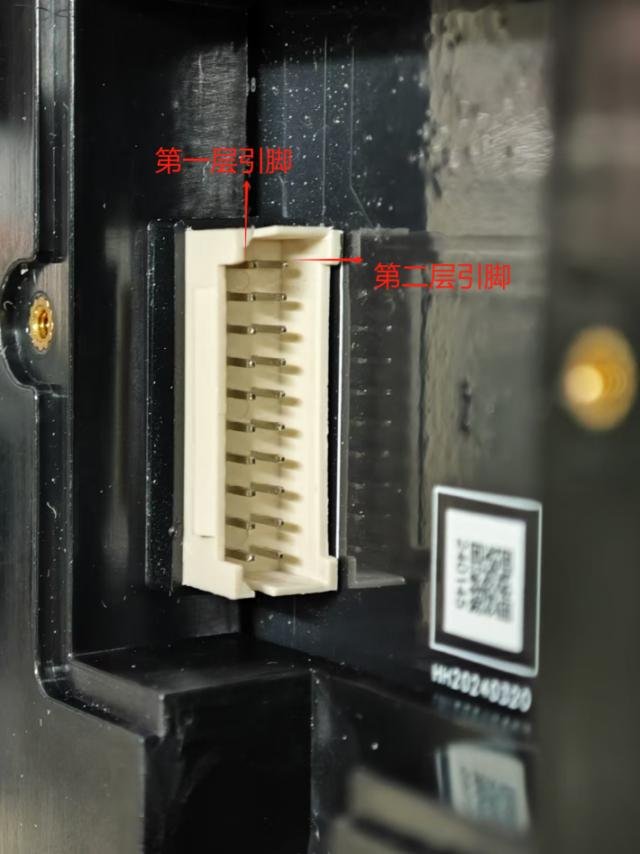
【第一层引脚定义】 1 GPIO_IN1 报警接口 2 GPIO_IN2 报警接口 3 WG-D0 韦根 D0 4 WG-D1 韦根 D1 5 RS485-B 485 接口 B 6 RS485-A 485 接口 A 8 RELAY_NO 继电器 NO 9 RELAY_COM 继电器 COM 10 RELAY_NC 继电器 NC
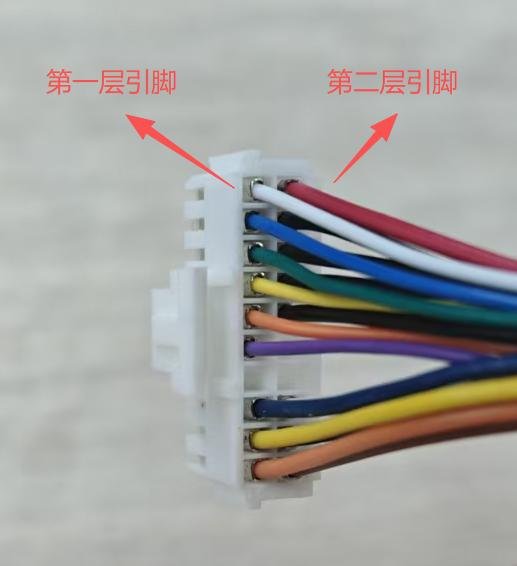
【第二层引脚定义】 VCC_IN 电源正极 GND 接地引脚 RELAY_NO 继电器 NO(备用) RELAY_COM 继电器 COM(备用) RELAY_NC 继电器 NC(备用)
设备使用说明
设备正常开机后,长按屏幕下方区域的开锁按钮会进入设备的设置菜单页面。
本地用户:可在设备本地新增、删除、编辑人员和其通行凭证。
网络设置:可对设备的 WIFI 和以太网连接选项进行配置。
门禁管理:可对继电器、MQTT 等动作进行设置。
系统设置:可对其他配置功能进行设置。
设备信息:可查看设备的 SN 号、固件版本等。
记录查询:保存了通行记录。
语音播报:可对播报的语音内容进行修改。
云证功能:开通后可以进行在线人证核验。
使用帮助:保存了一个二维码,扫码查看使用教程。
安装方法
86 盒安装
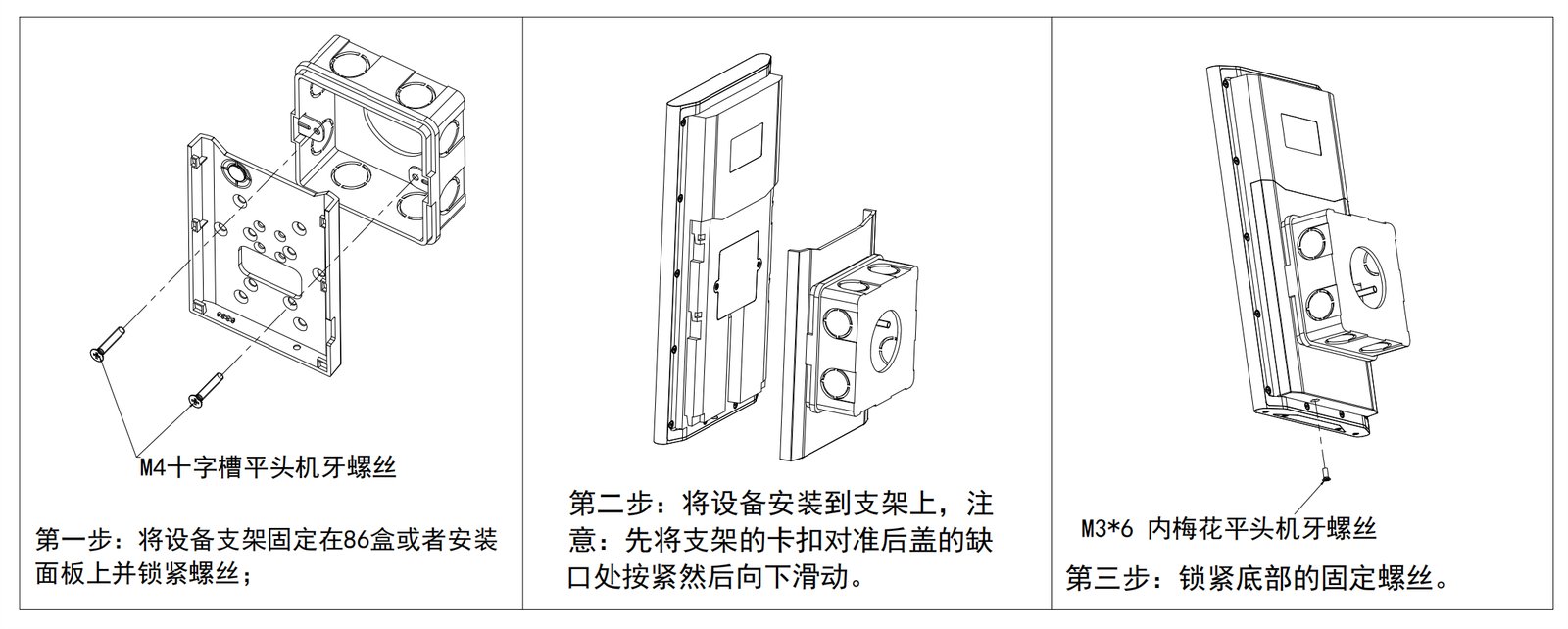
火炬手安装
立柱安装
平墙安装
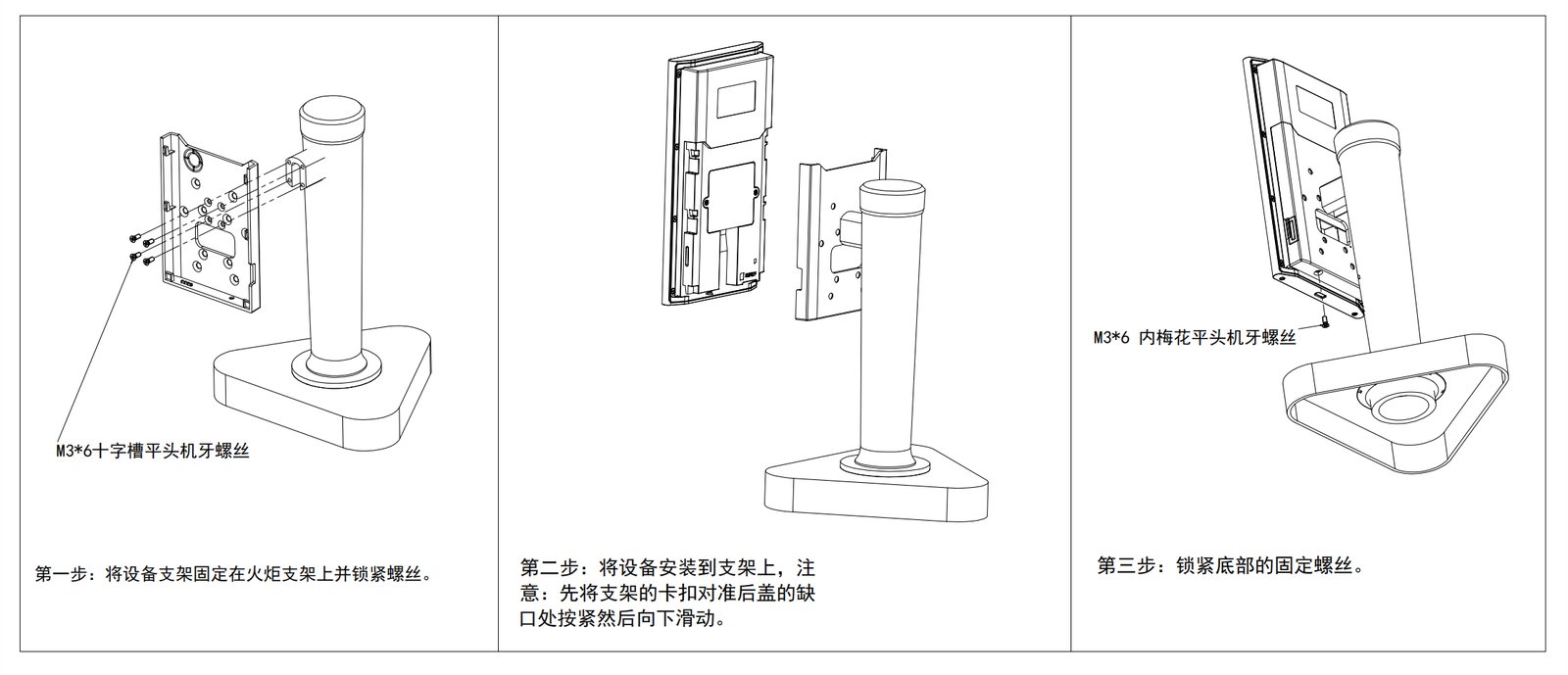
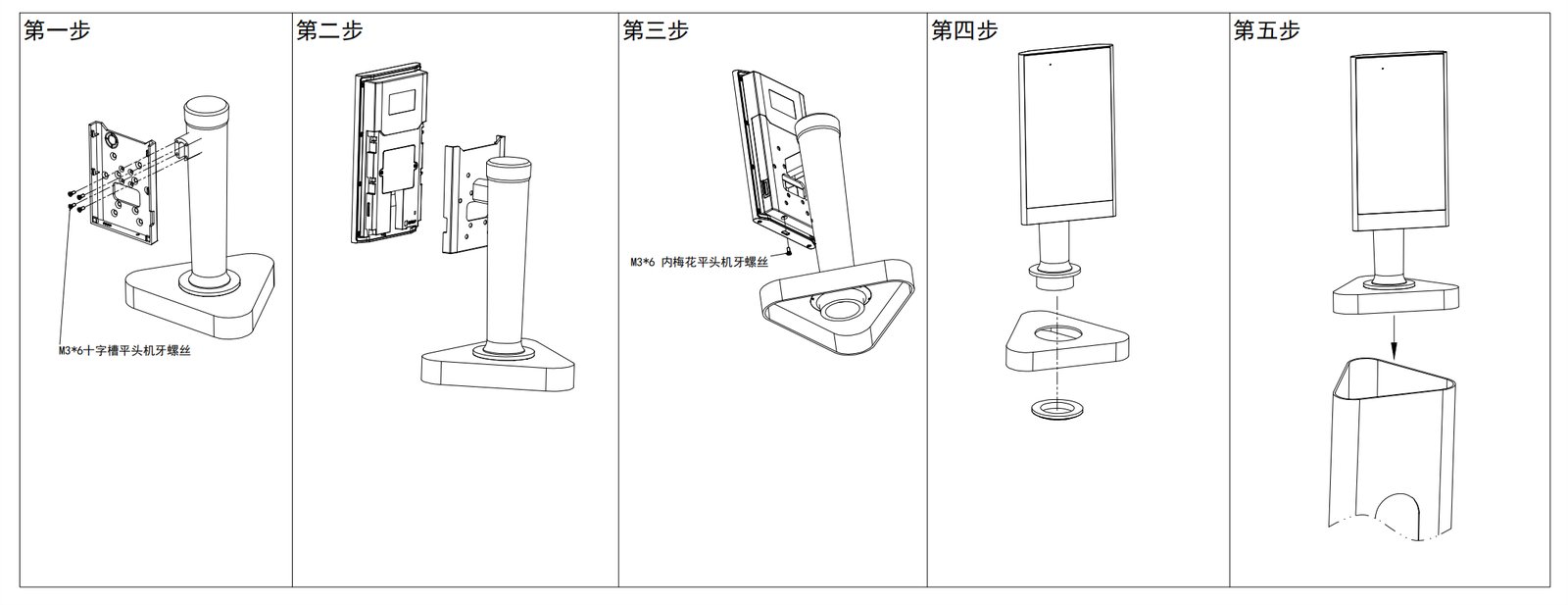
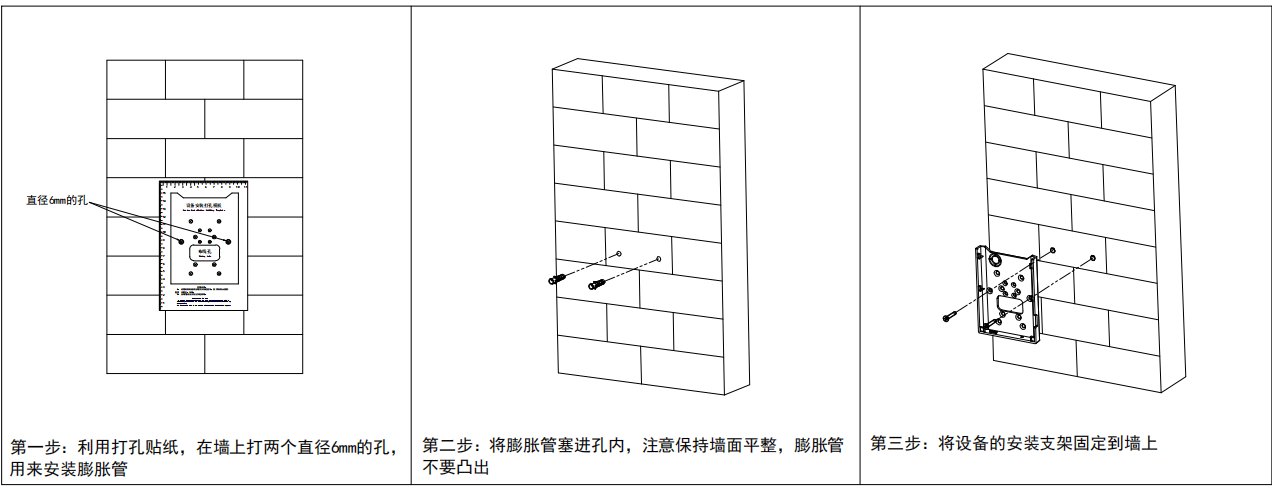
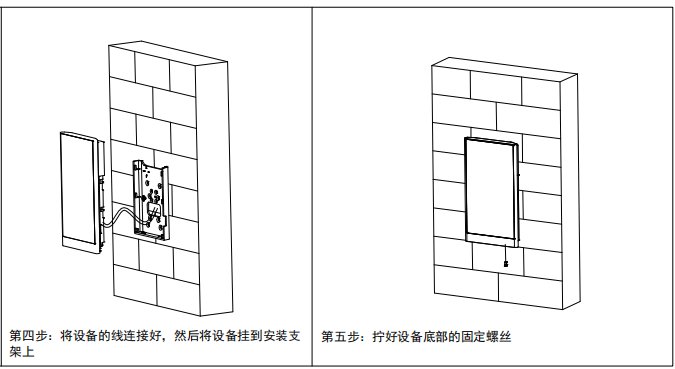
注意事项
设备标准为 9-24V 供电,可以从上位机电源取电,也可以单独供电。电压过高可能导致设备无法正常工作,甚至损坏设备。
不可私自拆解设备,否则可能会损坏设备。
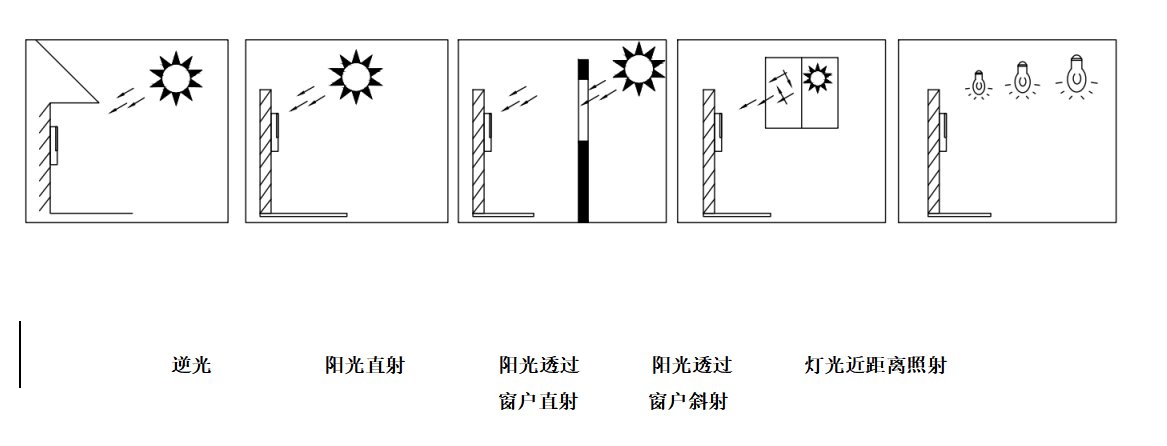
设备安装位置要尽量避免强光直射,否则可能会影响识读效果。人脸镜头与扫码器识读面板要保证干净、清洁,否则可能会影响正常识读。
设备接线要牢固、可靠,且线与线之间要确保绝缘,防止短路烧坏设备。
Video Tutorials
VF202 产品演示
Watch videoFAQ
How can I get the latest firmware for this product?
Firmware and upgrade packages require submitting your company information for approval; once approved, a download link will be sent. You can also upgrade online from the device backend.
What unlocking methods does the VF202 support?
The VF202 supports multiple access methods including face recognition, under-screen card reading and Bluetooth wireless unlocking.
What is the maximum face database capacity?
The VF202 face database supports 2,000 faces, with recognition time <0.3s and pass rate ≥99%.