
VF114 人脸智能终端
VF114 人脸智能终端使用手册:涵盖产品外观、技术参数、接口说明、工作模式说明、设备配置、快速设置、应用场景与设备后台说明。
前言
感谢使用 VF114 人脸、测温、扫码、刷卡一体机设备。认真阅读本文档,可以帮助您了解此设备功能、特点、以及快速掌握设备的使用、安装方法。
产品简介:VF114 人脸智能终端集成人脸、IC 卡、二维码、云身份证、红外测温、TTS 语音库功能。支持 TCP、HTTP、MQTT 协议,可在透传模式、协议模式、离线门禁模式下工作,具备 IP66 防护等级,可以适配防疫场景,实现人脸测温、口罩检测、身份证健康信息认证、健康码认证。适用于办公区域、酒店、通道闸机、写字楼、银行、医院、学校、商场、商店、社区、公共服务及管理项目等对人脸门禁有需求的场所。
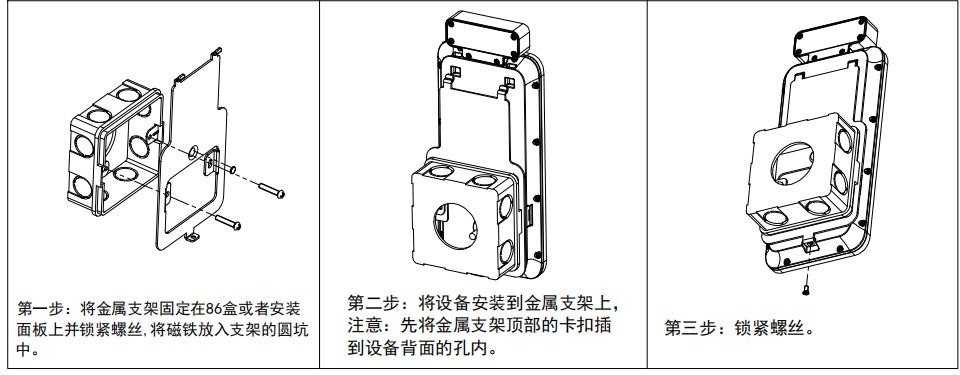
产品特性:动态人脸识别,集成二维码、刷卡。5.5 英寸高亮液晶屏,真人语音提示,集成 TTS 语音库。97% 以上识别准确率,毫秒级识别速率。识别距离 0.3m-1.5m,最大支持 5000 人脸库,20000 二维码/卡白名单。人员戴口罩、戴眼镜、戴帽子均可有效识别,支持口罩检测。内置静默活体检测,可有效阻挡照片、视频和面具攻击。多种工作模式:透传模式、协议模式、白名单模式。支持 TCP、MQTT、HTTP 协议。支持扫码配置、扫码注册。外部报警输入、门磁状态输入、出门开关输入。RS485、韦根输出人脸 ID 号、二维码内容或卡的 ID 号。内置高精度时钟芯片和 RTC 电池,断电可保存时间。静电防护接触 8KV,空气 8KV。内置霍尔开关防拆检测。防水防尘等级 IP66。支持 logo 定制、协议定制,支持 OEM。支持闸机、86 盒、平墙、立柱安装。
产品外观
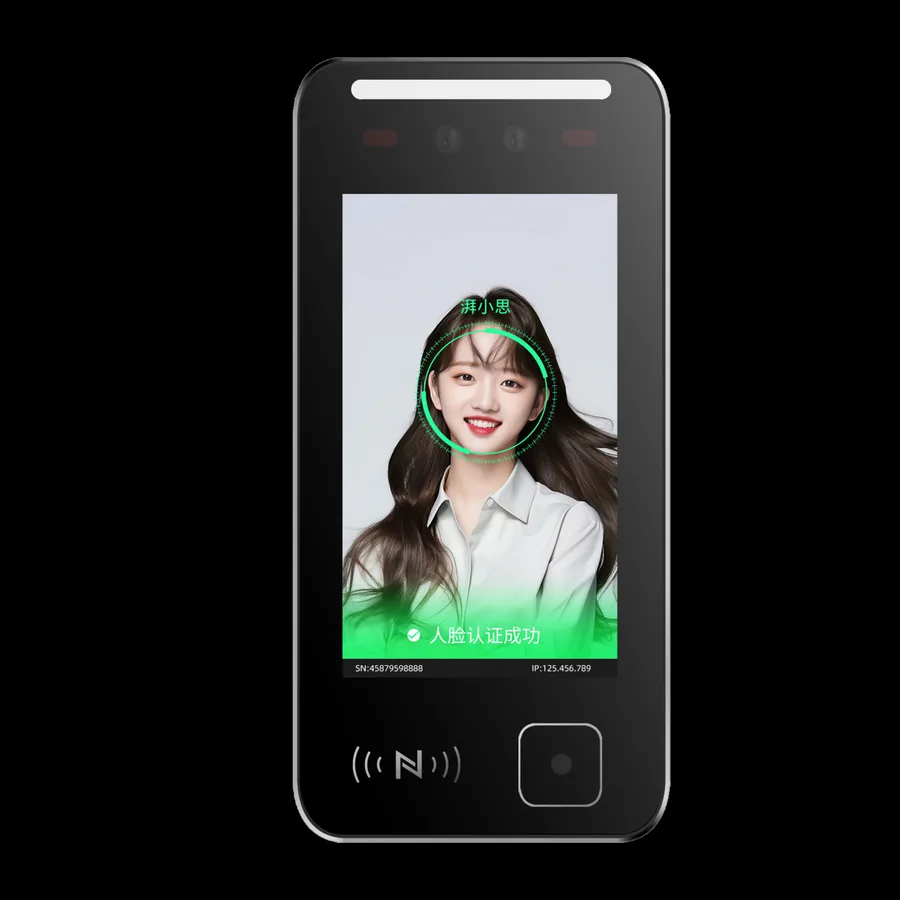
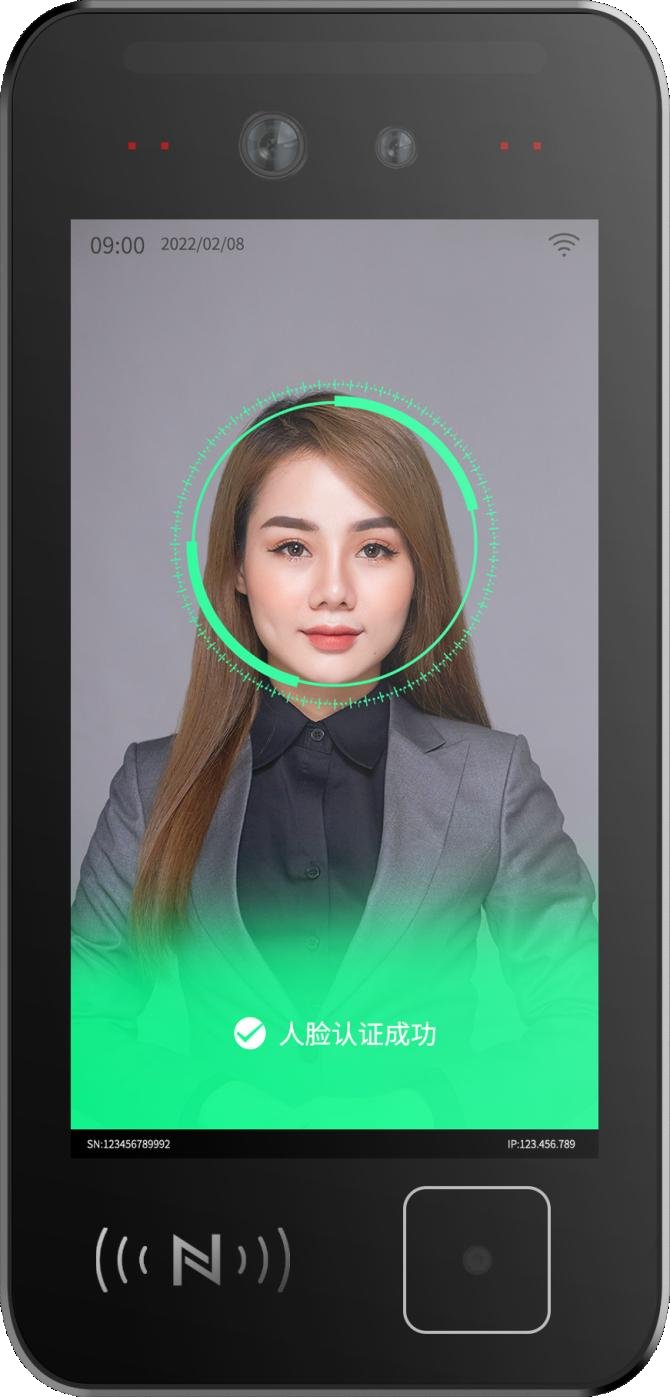
产品外观图:双目摄像头、刷卡区域、扫码区域均位于设备正面。
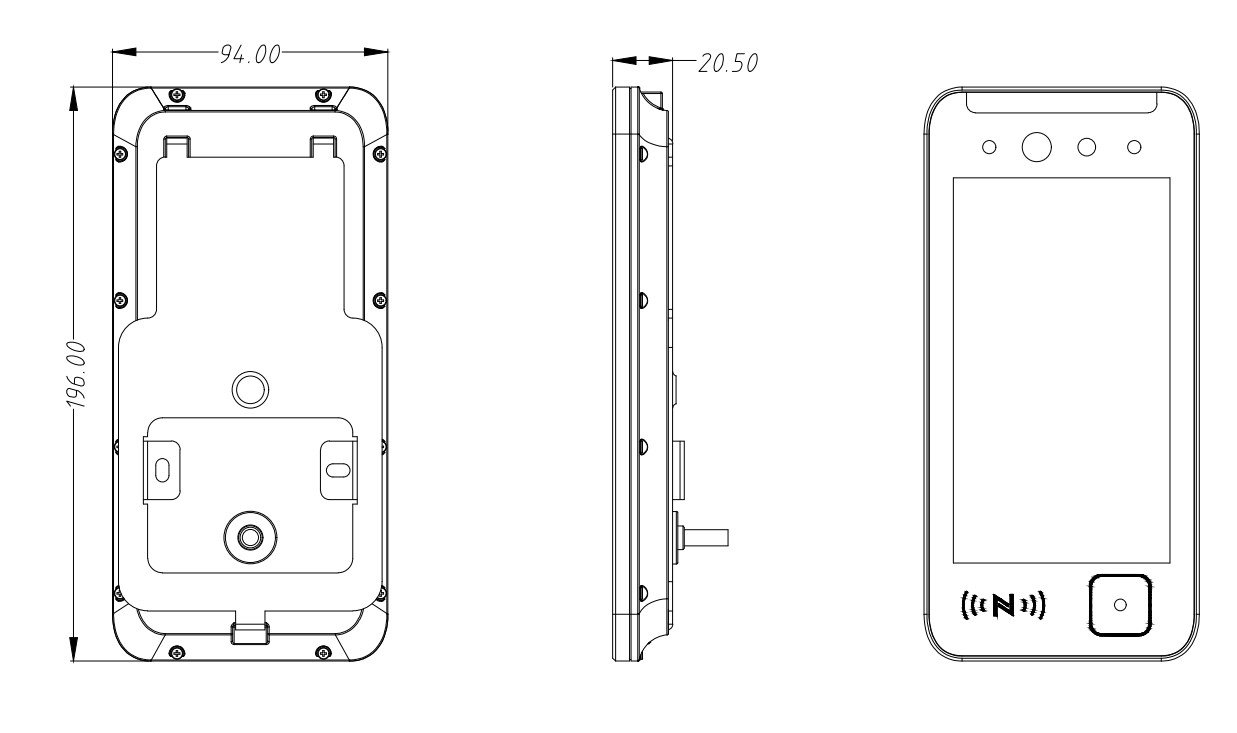
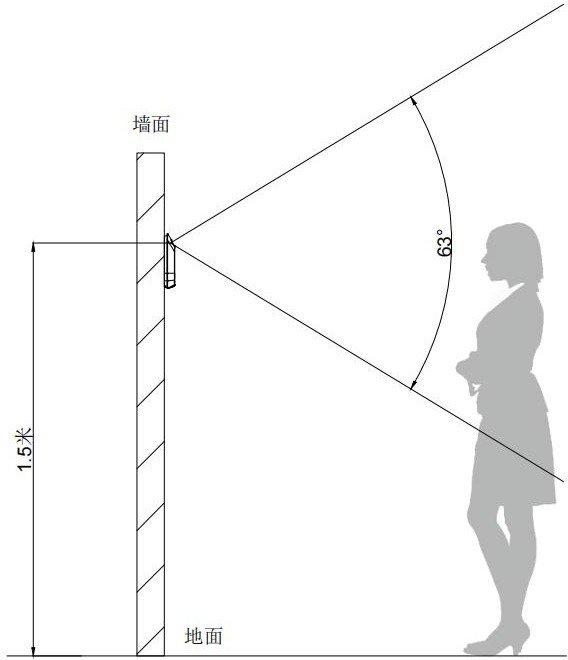
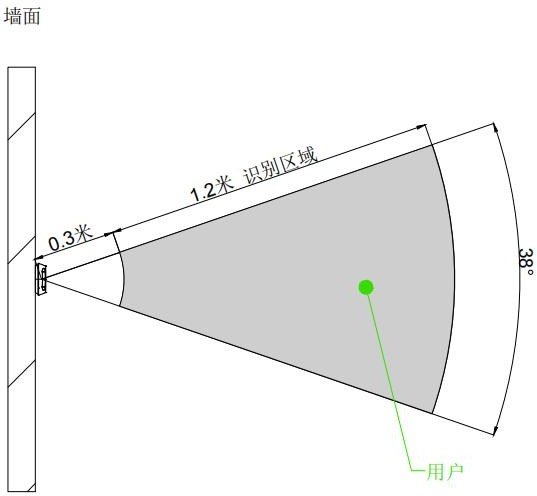
产品尺寸图与识读区域示意图:请参考随附尺寸图,包含侧面图、俯视图。
技术参数
产品参数与系统参数:操作系统 Linux,存储容量 8GB,处理器 ARM Cortex A7 MP2 1GHz。
显示屏:5.5 寸液晶显示屏,分辨率 720×1280。
通讯方式:有线 1 路 10/100M 自适应网口;无线 2.4G WiFi;1 路 RS485;1 路韦根 26/韦根 34。
物理接口:防拆开关 1 个;继电器 30V1A;2 路报警信号输入接口。
电源供电:供电电压 9~24V(DC)(推荐 12V 供电),功耗 14.4W。
摄像头:RGB 摄像头视场角 D=70.3° H=63° V=38°,光圈 2.0,分辨率 1920×1080,焦距 4.35MM;红外摄像头视场角 D=68° H=60° V=37°,光圈 2.2,分辨率 1616×1232,焦距 2.35MM。
测温:精度一米以内 ±0.3℃,工作温度 10℃~35℃。
扬声器与材质:内置 8Ω 2W 扬声器;材质为防火 ABS+有机玻璃。
工作温度与湿度:非测温版 -20℃~55℃,工作湿度 10%~90%(无凝结)。
防护等级:静电防护接触 8KV、空气 8KV;防尘防水等级 IP66。
刷卡性能参数:天线规格 13.56MHz,天线尺寸 42mm×28mm,读卡距离 0-5cm(卡片类型和规格不同刷卡距离可能不同)。支持卡类型:S50、S70、FM1208、FM1216-137、MIFARE CLASSIC EV1 4K(S70)、mifare desfire ev2 d42、UL、FM12081K+7K、NTAG216、ultralight c、UL EV1、DESFIRE EV2 D41、Ultralight EV1、Mifare Desfire ev2 d82、身份证信息。
扫码性能参数:识读码制为二维码(QRCODE、PDF417 等),扫码支持设备为手机屏幕,图像传感器 640×480。读取方向:倾斜 ±40°,旋转 ±360°,偏转 ±30°;水平 62°,垂直 49°。识读精度 ≥7mil,读取距离 0~10cm,扫码反馈语音提示,环境光照度 0~80000Lux。
人脸识别性能参数:支持口罩检测;1:N 算法动态人脸检测(防照片、视频攻击);硬件红外活体检测(防照片、视频攻击)。人像容量 5000 张,识别距离 0.3-1.5M,通过率 ≥97%(容量达到 5000 张时),误识率 ≤0.01%(容量达到 5000 张时),识别时间 <1s。
接口说明
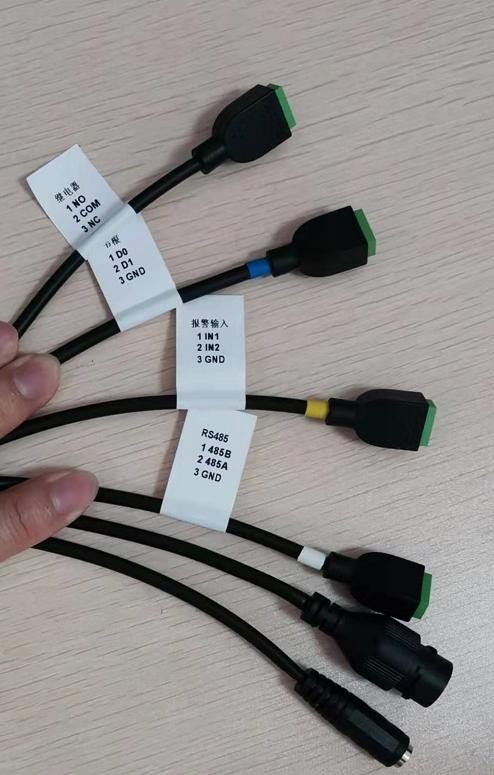
人脸设备引出六条接线端子,依据接线端线标定义接线。端口序号 1 继电器接口(NO 常开端、COM 公共端、NC 常闭端);2 韦根接口(D0、D1、GND);3 报警输入接口(IN1、IN2、GND);4 RS485 接口(485A、485B、GND);5 网线接口 RJ45;6 电源接口 DC 圆头。
设备工作模式说明
透传模式:扫码/刷卡直接传输数据,不存在认证流程;刷脸只对比本地人脸库。
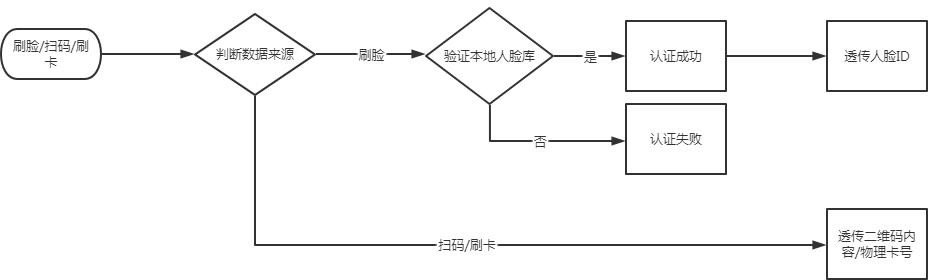
协议模式:需要用户搭建一个上位机,通过 485 或者 TCP、HTTP 协议接收数据并返回认证结果。协议文档可在官网获取。
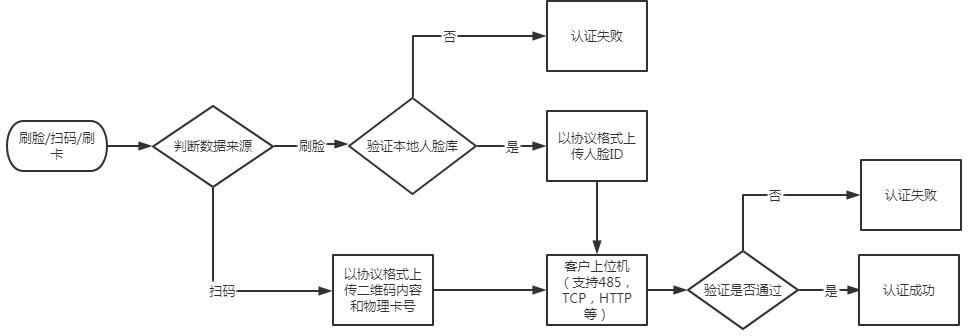
开发模式:目前只用于读写卡操作,其他功能暂不支持。
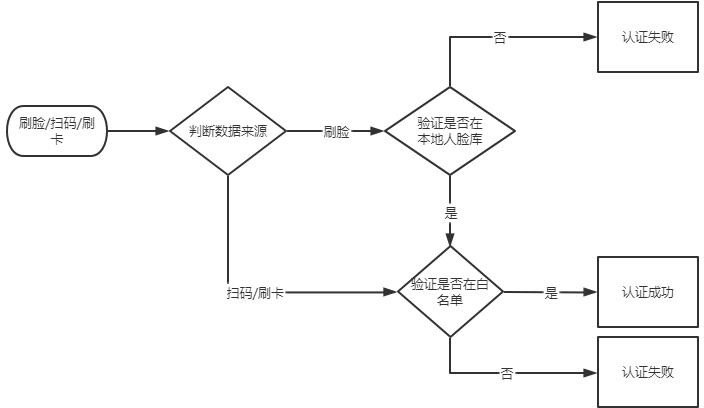
本地白名单模式:支持本地白名单比对。
设备配置
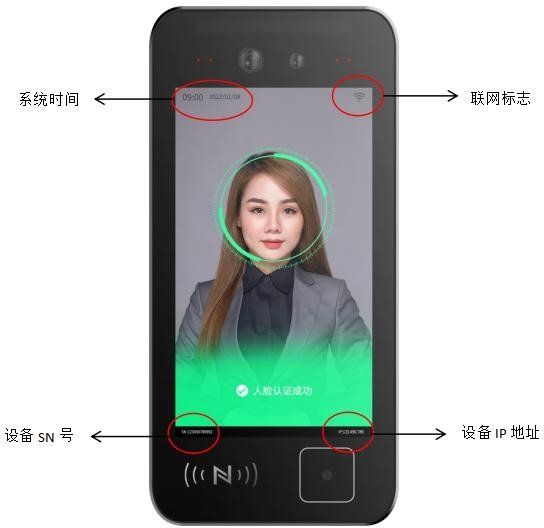
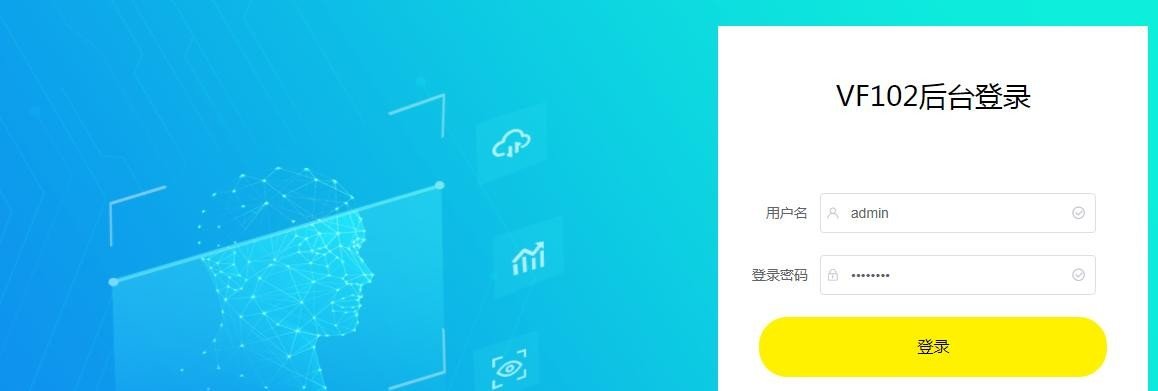
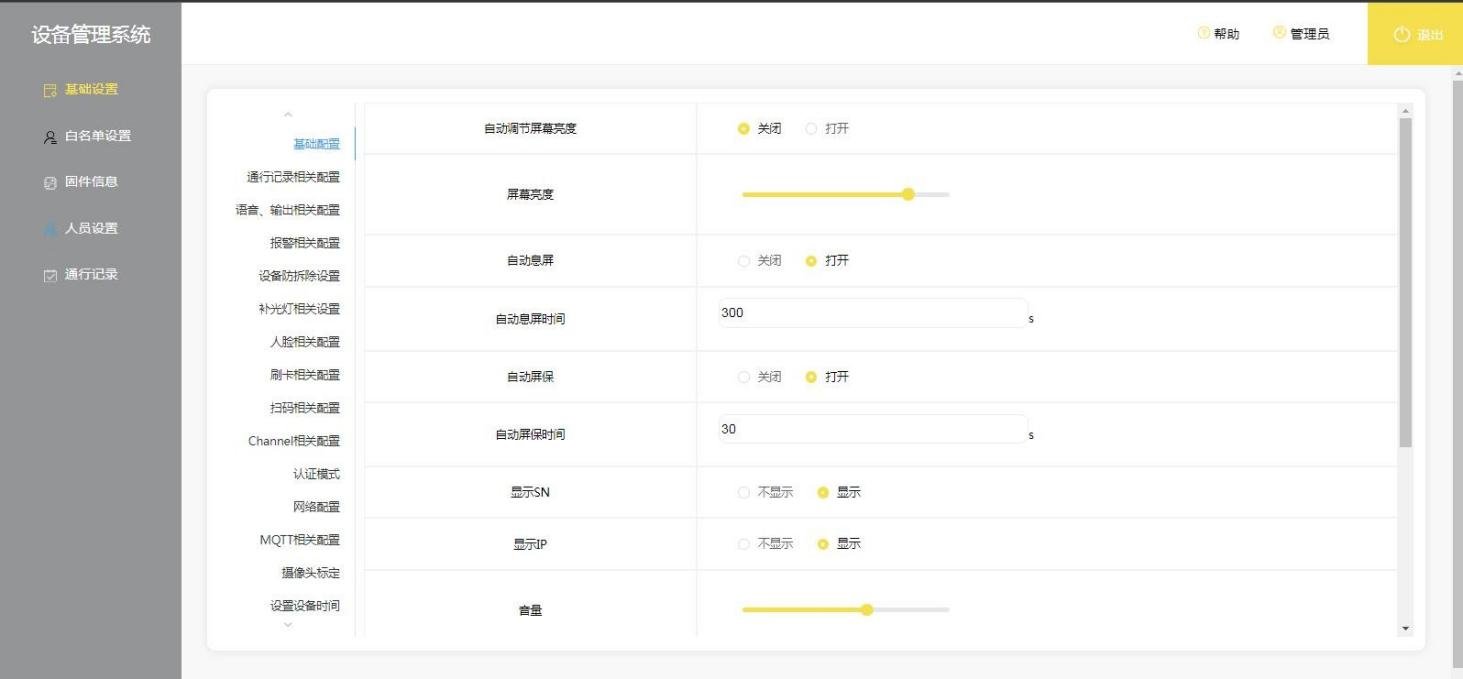
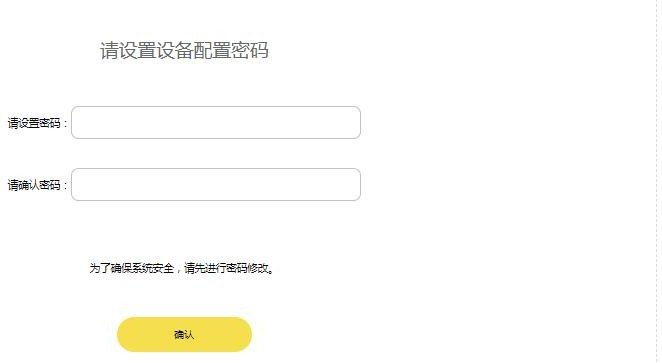
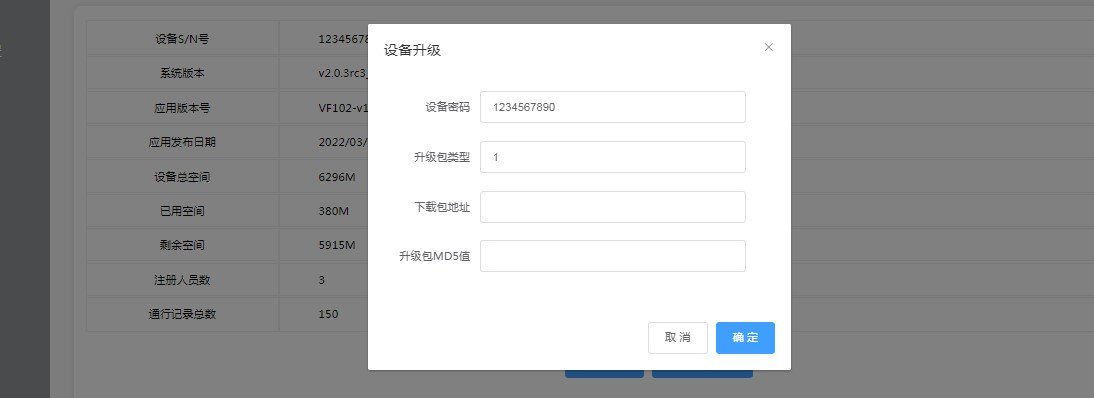
设备设置流程说明:登录人脸设备后台。当人脸设备联网成功后,屏幕右上角显示联网图标,右下角显示设备 IP,左上角显示系统时间,左下角显示设备 SN 号。将电脑与人脸设备接入同一网络中。打开浏览器,在地址栏输入 http://设备ip地址:8060/,输入回车,即可进入后台管理界面。默认用户名 admin,默认密码 password。登录成功后,后台提示设置“设备配置密码”,主要用于设置扫码器工作模式、设备升级、恢复出厂等操作。


快速设置
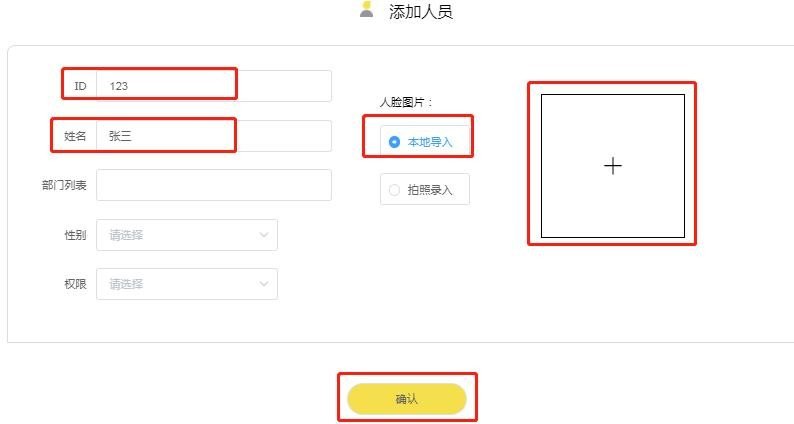
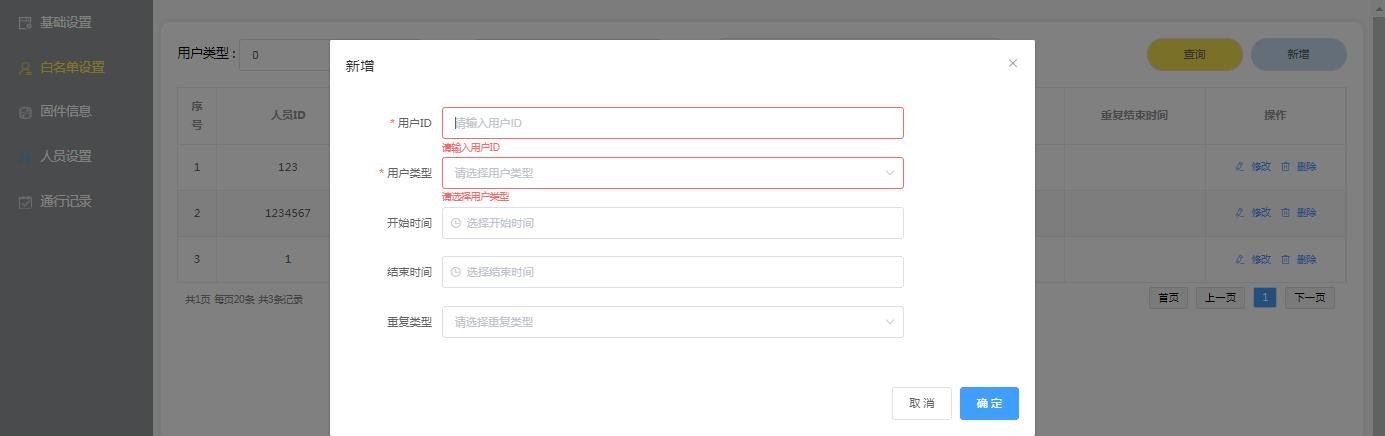
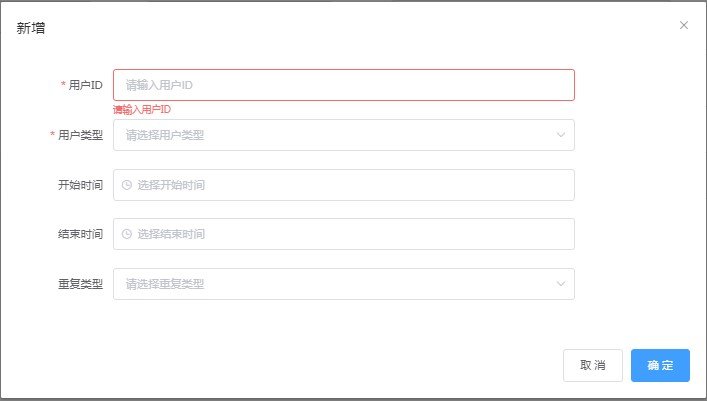
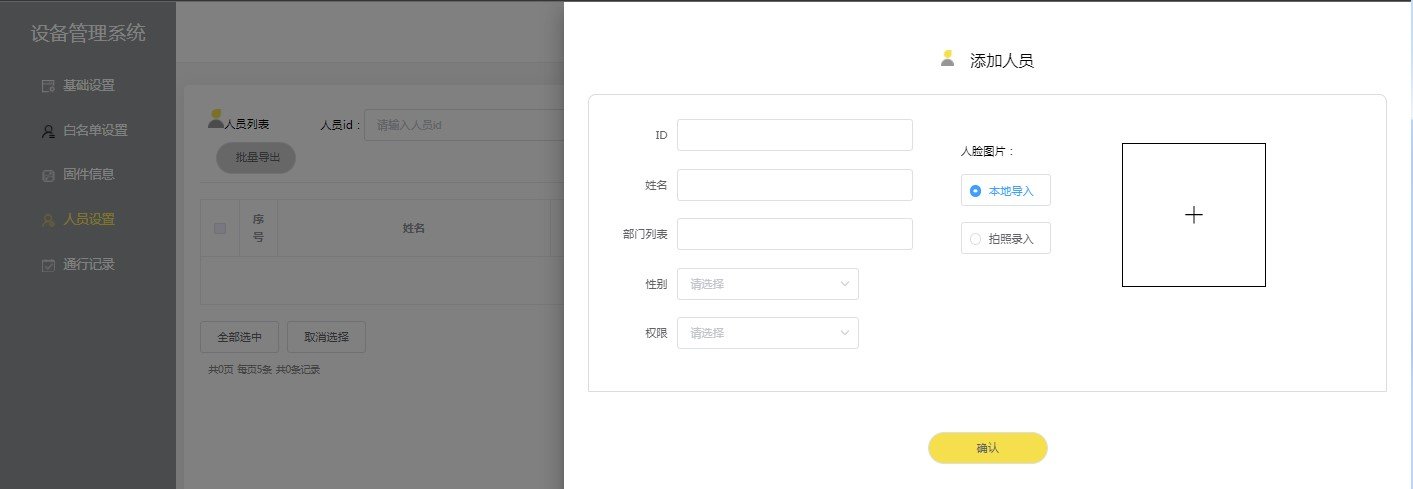
用户可以参考以下场景进行快速设置。场景一:设备联网;只需注册人脸后即可自由通行;不需要扫码/刷卡功能,或需要扫码/刷卡后通过 485/韦根透传二维码内容和物理卡号。设置流程:登录设备管理后台 → 人员设置添加人员 → 填写人员 ID、姓名、照片 → 设置刷脸/扫码/刷卡工作模式为透传模式 → 保存。场景二:扫码/刷卡走白名单模式,即权限提前录入到设备;刷脸可任意模式。设置流程:登录后台 → 选择白名单设置 → 新增 → 输入人员 ID(人脸填注册 ID,卡填十六进制正序卡号,二维码填自定义卡号)→ 选择有效期限 → 重复类型选择不重复 → 确定。
应用场景介绍
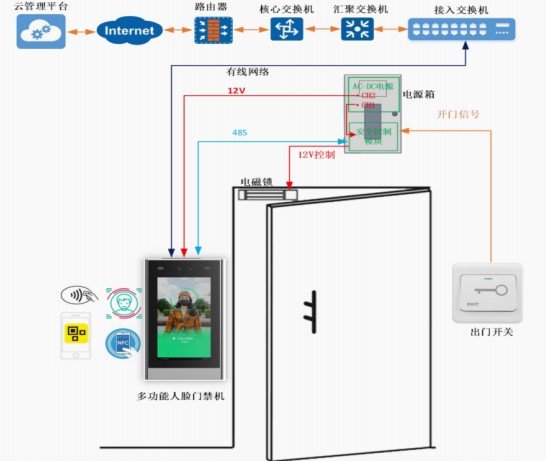
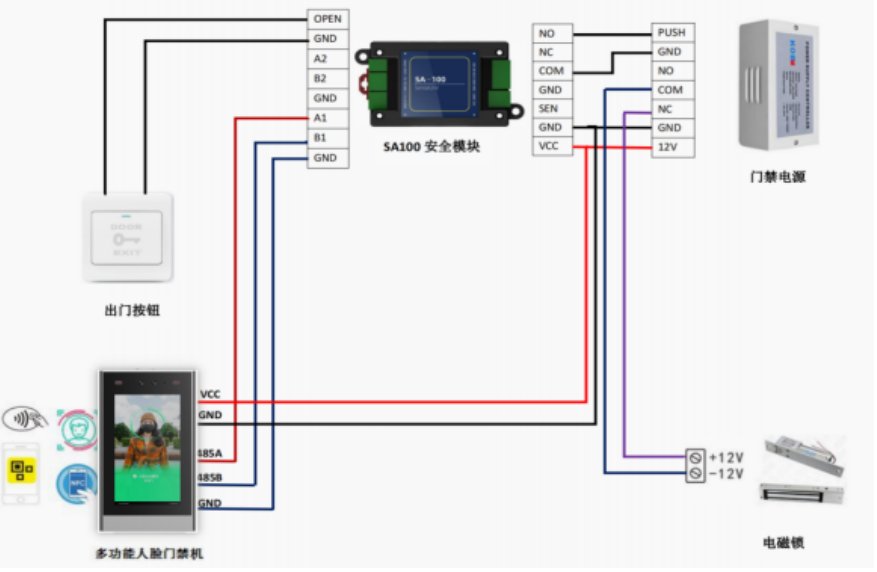
独立使用:设备通过网口接服务器管理软件,在线验证权限;出门开关接专业门禁电源(或接设备),设备接专业门禁电源,电磁锁接专业门禁电源,通行人员权限验证通过后开门。配合安全模块:VF114 人脸一体机与安全模块组成更高安全的门禁系统,通过网络连接服务器在线验证,然后通过加密 485 协议与安全模块通信,实现门锁控制。典型应用请参考 SA100 产品说明书。
设备后台说明
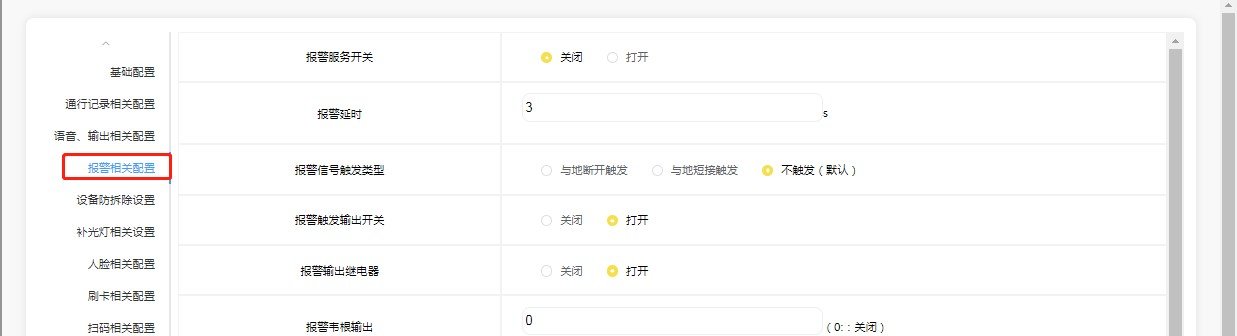
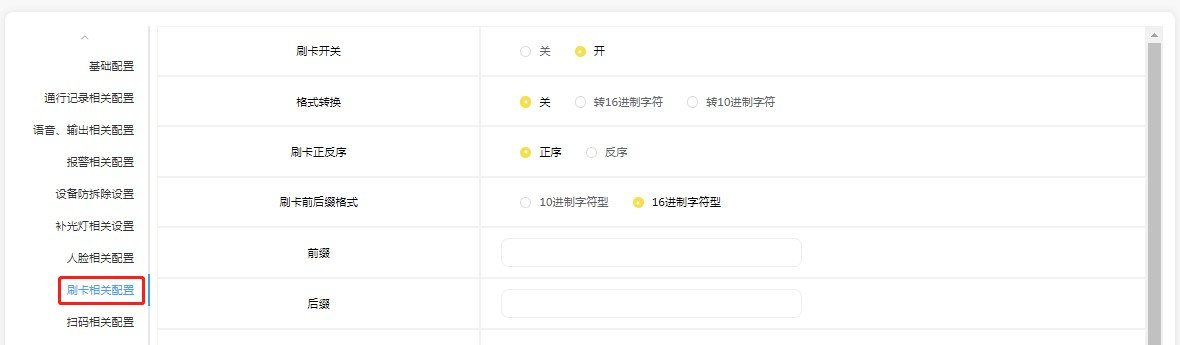
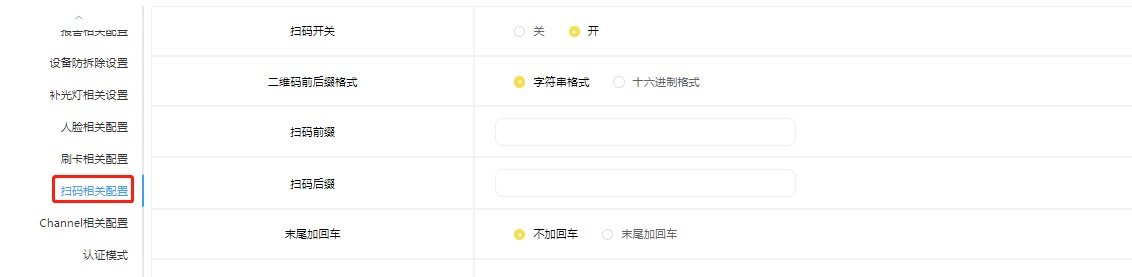
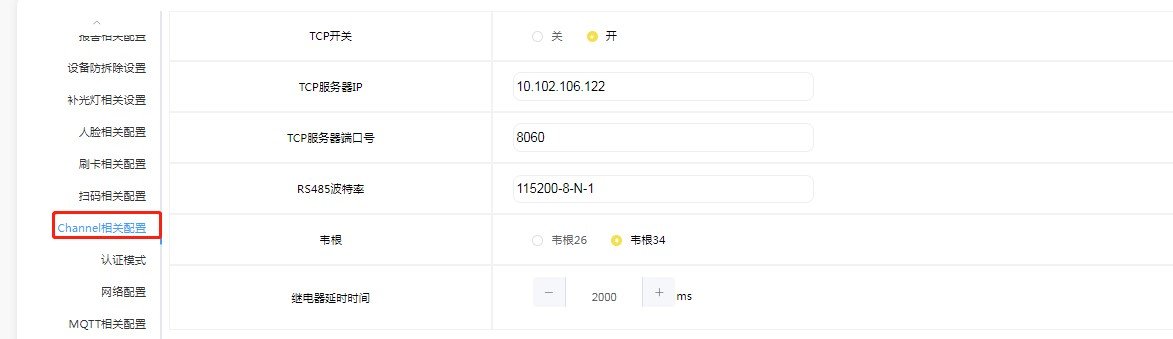
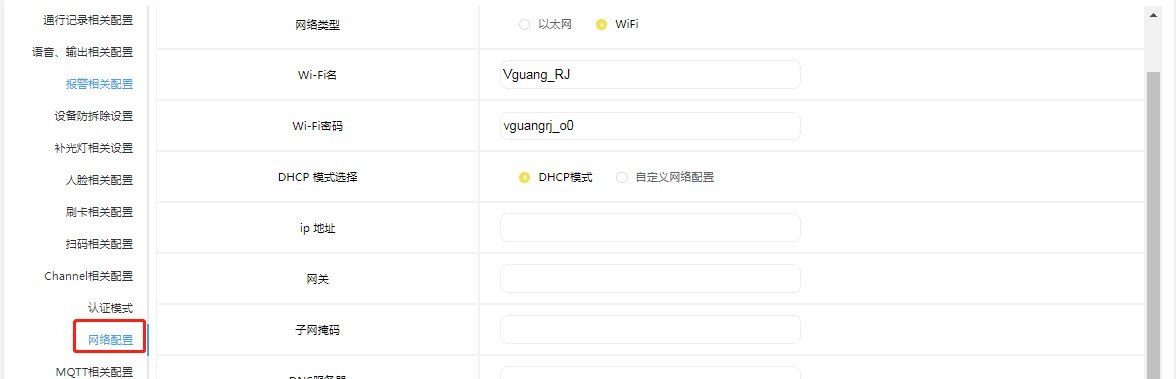
后台设置项较多,主要包括:基础设置(自动调节屏幕亮度、屏幕亮度、自动息屏、自动息屏时间、自动屏保、自动屏保时间、显示 SN、显示 IP、显示 logo、屏保图片、音量、自动更新时间、自动设置时区、设备名称);通行记录相关配置;语音与输出相关配置(全景图片、人脸图片、陌生人记录、人脸/刷卡/扫码核验成功/失败语音、继电器、485 输出、韦根输出等);报警相关设置;设备防拆除设置;补光灯相关设置;人脸相关配置;刷卡相关配置;扫码相关配置;Channel 相关配置;认证模式;网络配置;MQTT 相关配置;摄像头标定;设置设备时间。
注意事项
人脸注册照片要求:人脸像素最小 80、最大 512;图片大小 50~300K;图片高宽 宽 512~800、高 640~1024;格式 JPG;背景要求生活照、无美颜滤镜、无浓妆,无墨镜、围巾、口罩等遮挡。刷脸注册时,人脸需要处在注册框内,最好占据全部注册框,并注视注册框 2-3 秒钟等待设备完成注册。接线要求:对于用不到的引脚,必须做绝缘处理!如果因为没有做绝缘处理导致设备短路损坏的,需用户自行承担责任!安装环境要求:需避免逆光、阳光直射、阳光透过窗户直射/斜射、灯光近距离照射,以上环境均会影响人脸识别效果。设备处在强光下时,太阳光会干扰测温模块。

Video Tutorials
VF114 产品演示
Watch videoFAQ
How can I get the latest firmware for this product?
Firmware and upgrade packages require submitting your company information for approval; once approved, a download link will be sent. You can also upgrade online from the device backend.
The manual does not match the actual device?
Always refer to the device nameplate label and the latest version of the manual. If you have questions, contact Koodle technical support for assistance.