
Face Recognition Terminal VF105
VF105 smart face recognition terminal user manual: product features, appearance & interfaces, technical specs, operating modes, network setup, face enrollment, backend configuration and installation notes.
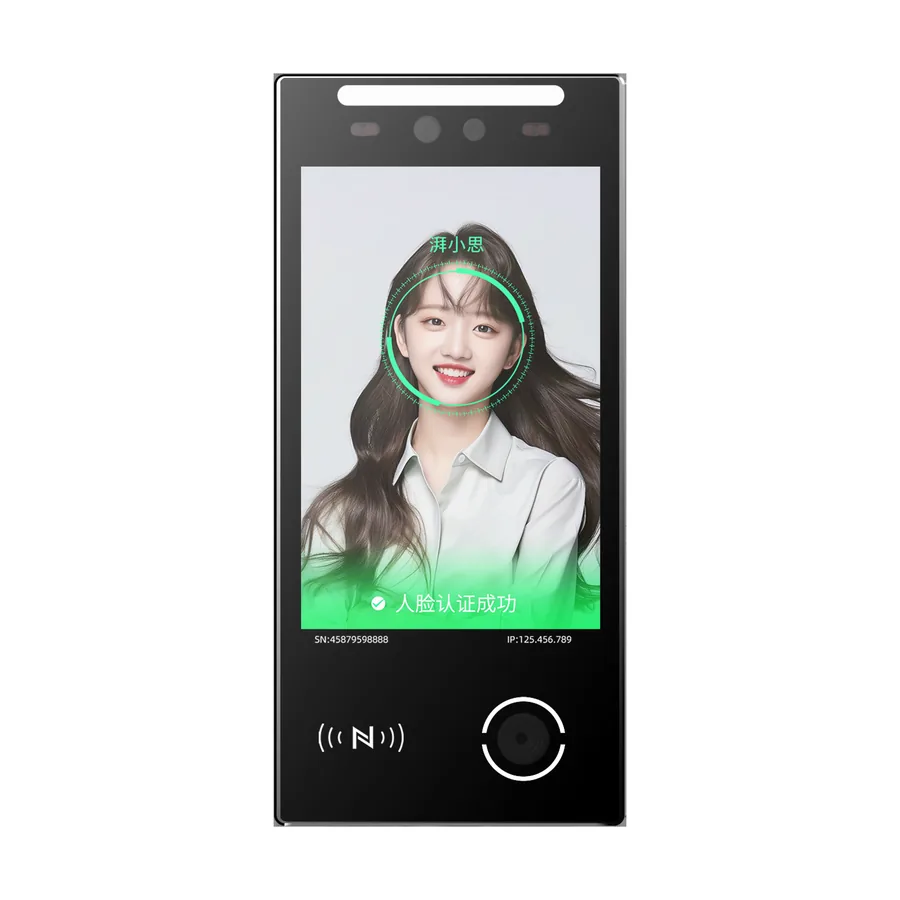
This manual applies to the VF105 face / temperature / QR / card all-in-one terminal, covering product awareness, installation, wiring, platform configuration and daily maintenance.
Product Overview
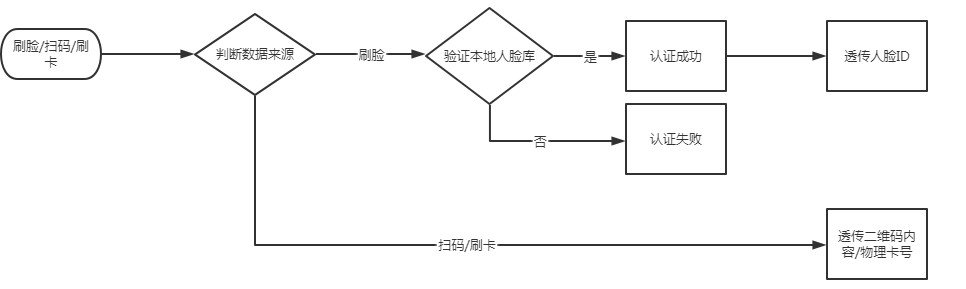
VF105 integrates face recognition, temperature, card and QR reading plus ID card reading, with RS485, Wiegand, Ethernet and WiFi (4G optional). Face verification is on-device; the face database is stored locally and outputs the person ID on success; card/QR can be configured for transparent output. It features an 8-inch touch screen, real voice prompt and reserved microphone, and supports protocol-mode development.
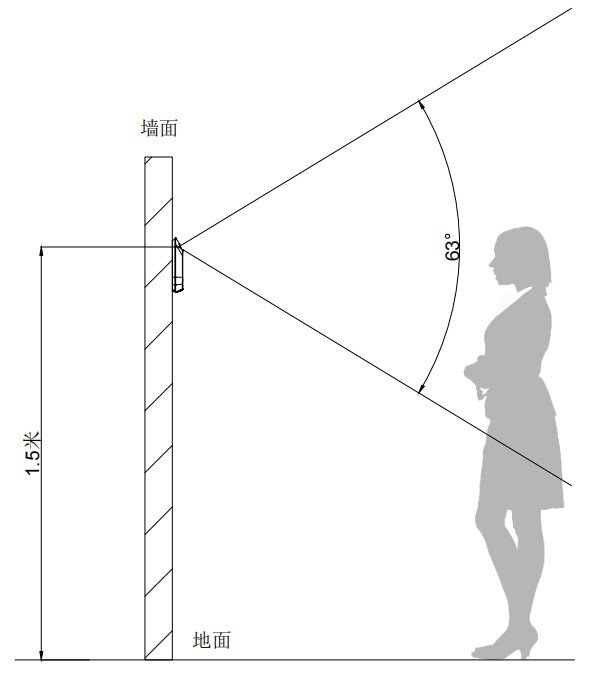
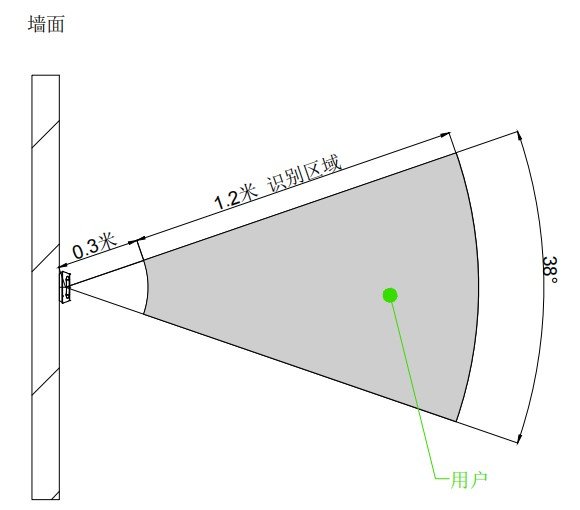
Key features: ≥97% accuracy at full database, < 0.3s/person; recognition distance 0.3–1.5m, up to 50000 face templates, 50000 cards/QR and 50000 records; mask detection and silent liveness anti-spoofing against photo/video/mask attacks; TCP/IP, MQTT, HTTP; IP66 (non-4G non-temperature version).
Appearance
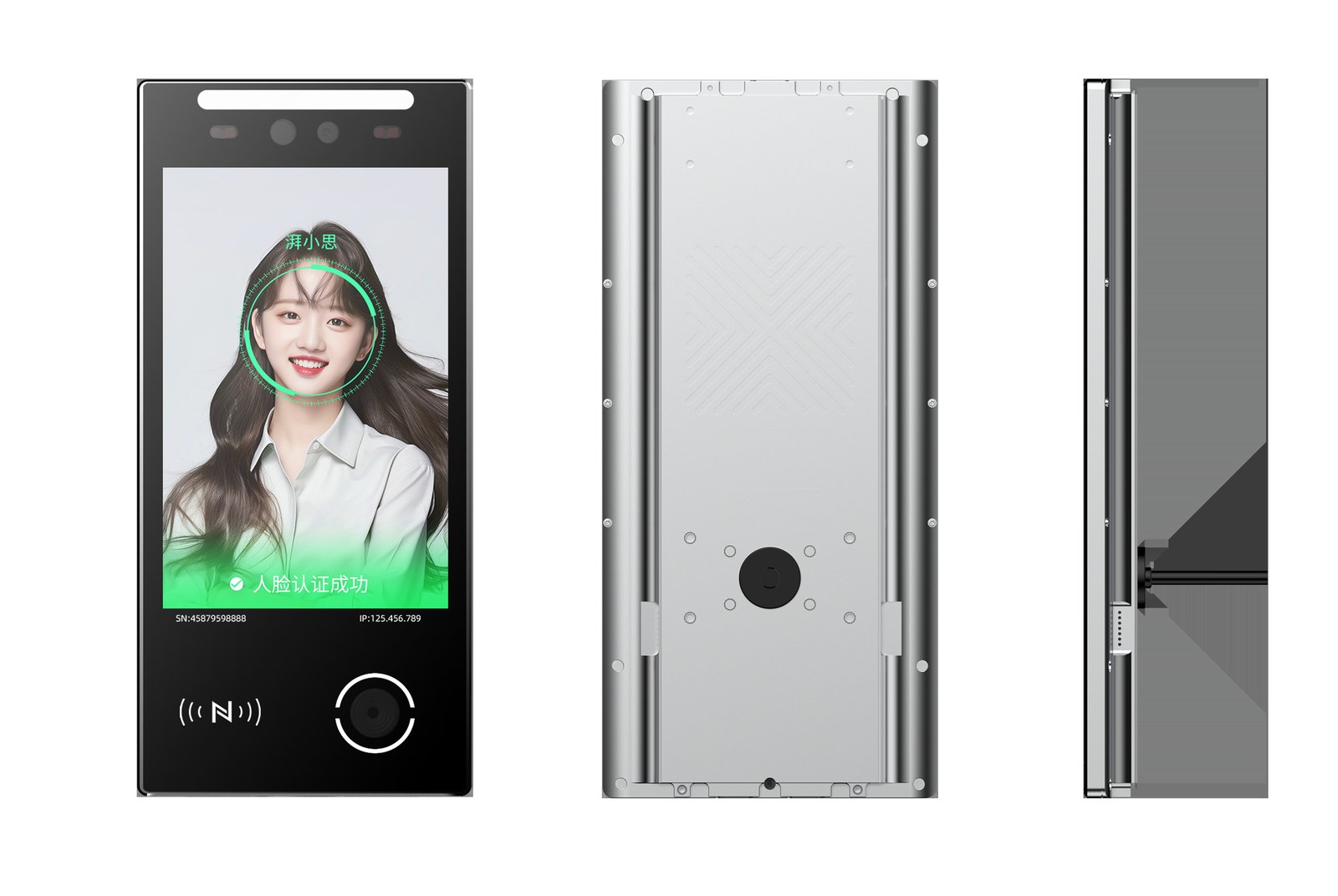
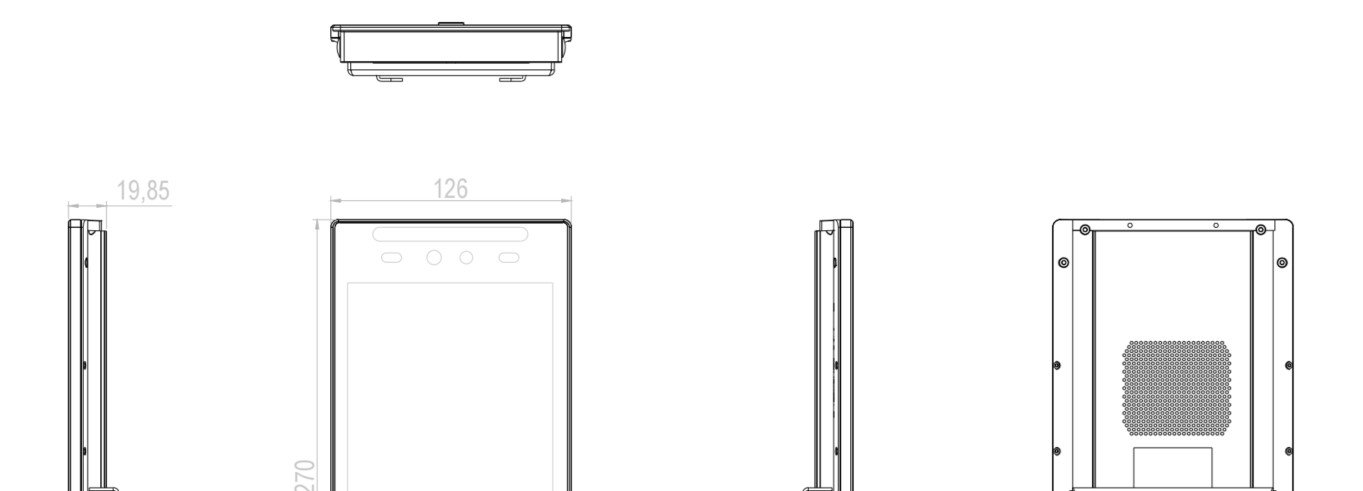
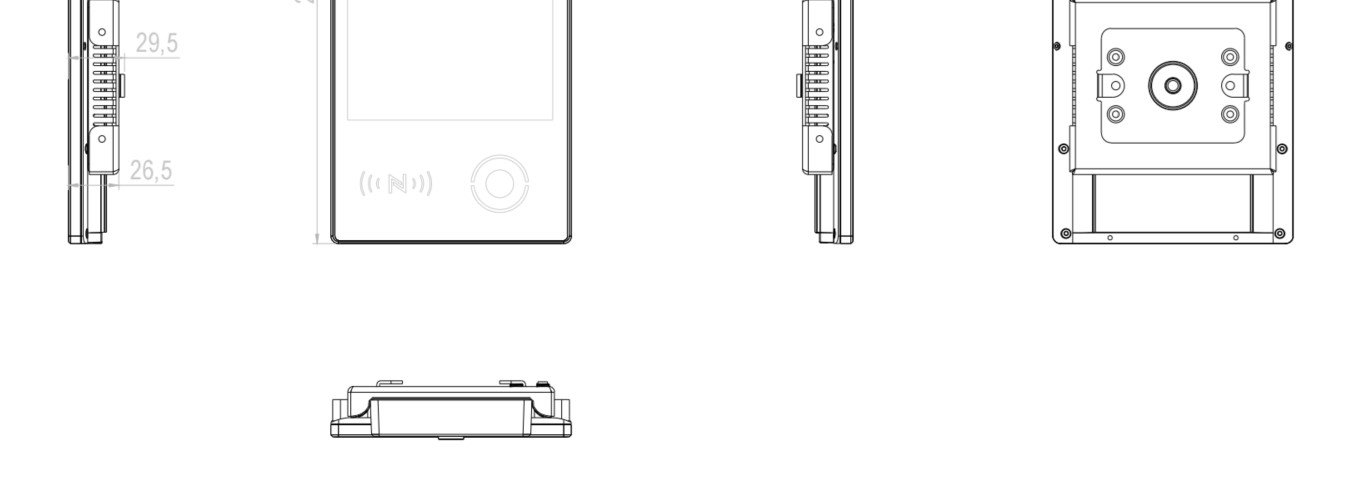
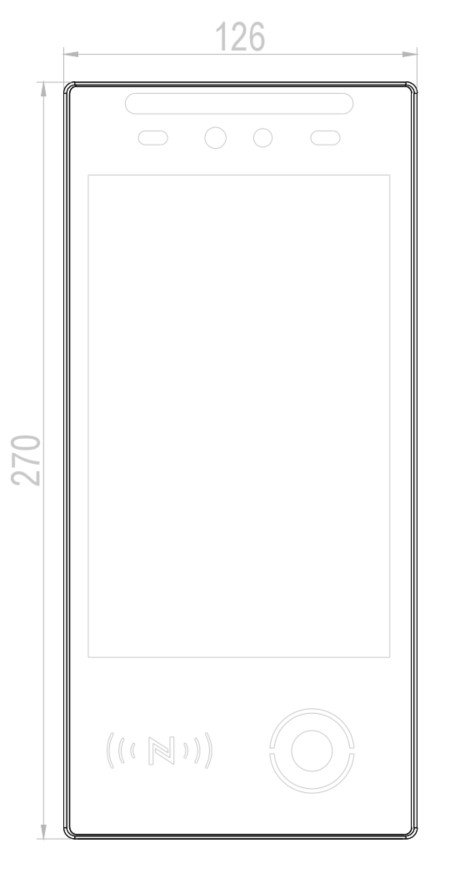
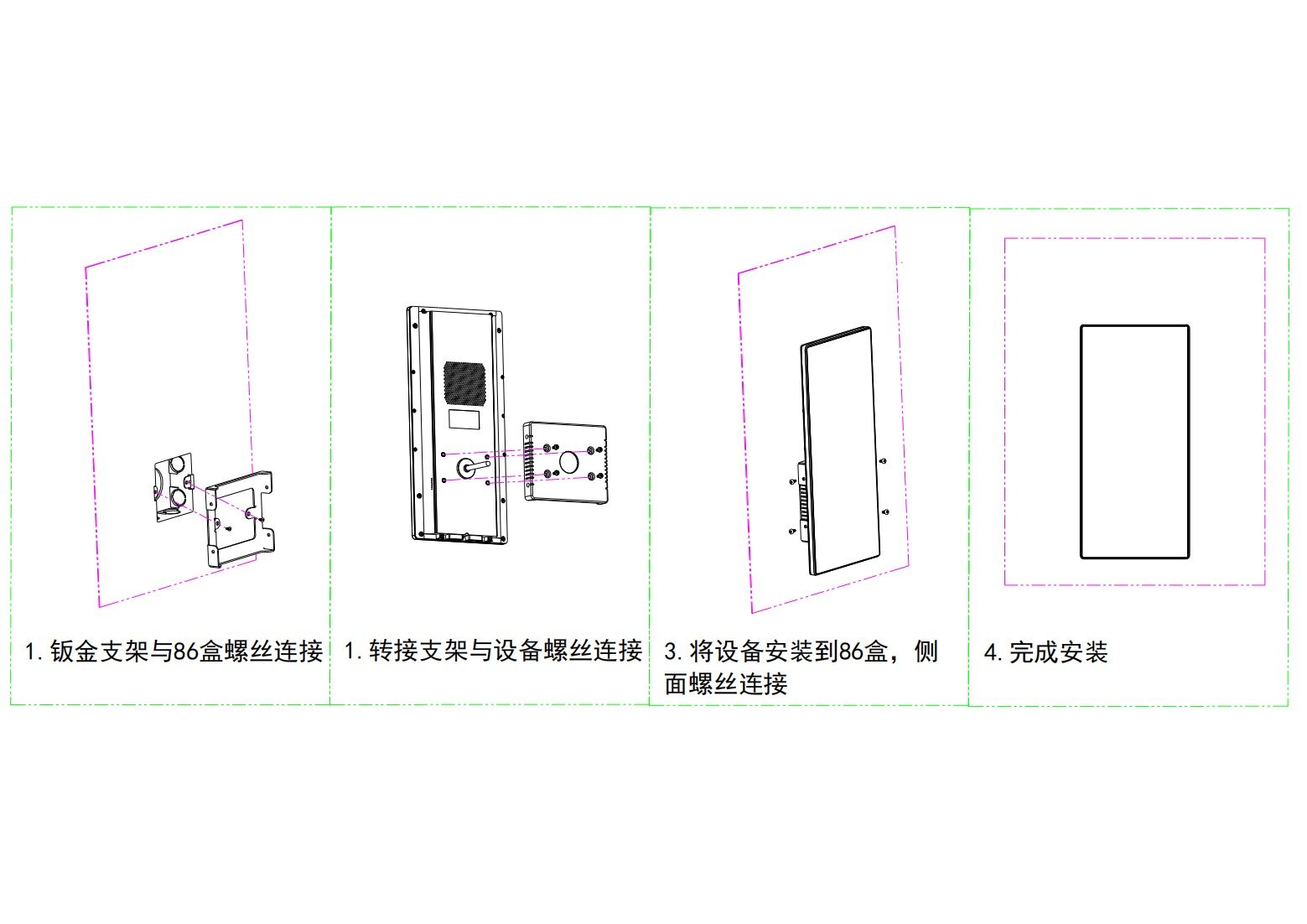
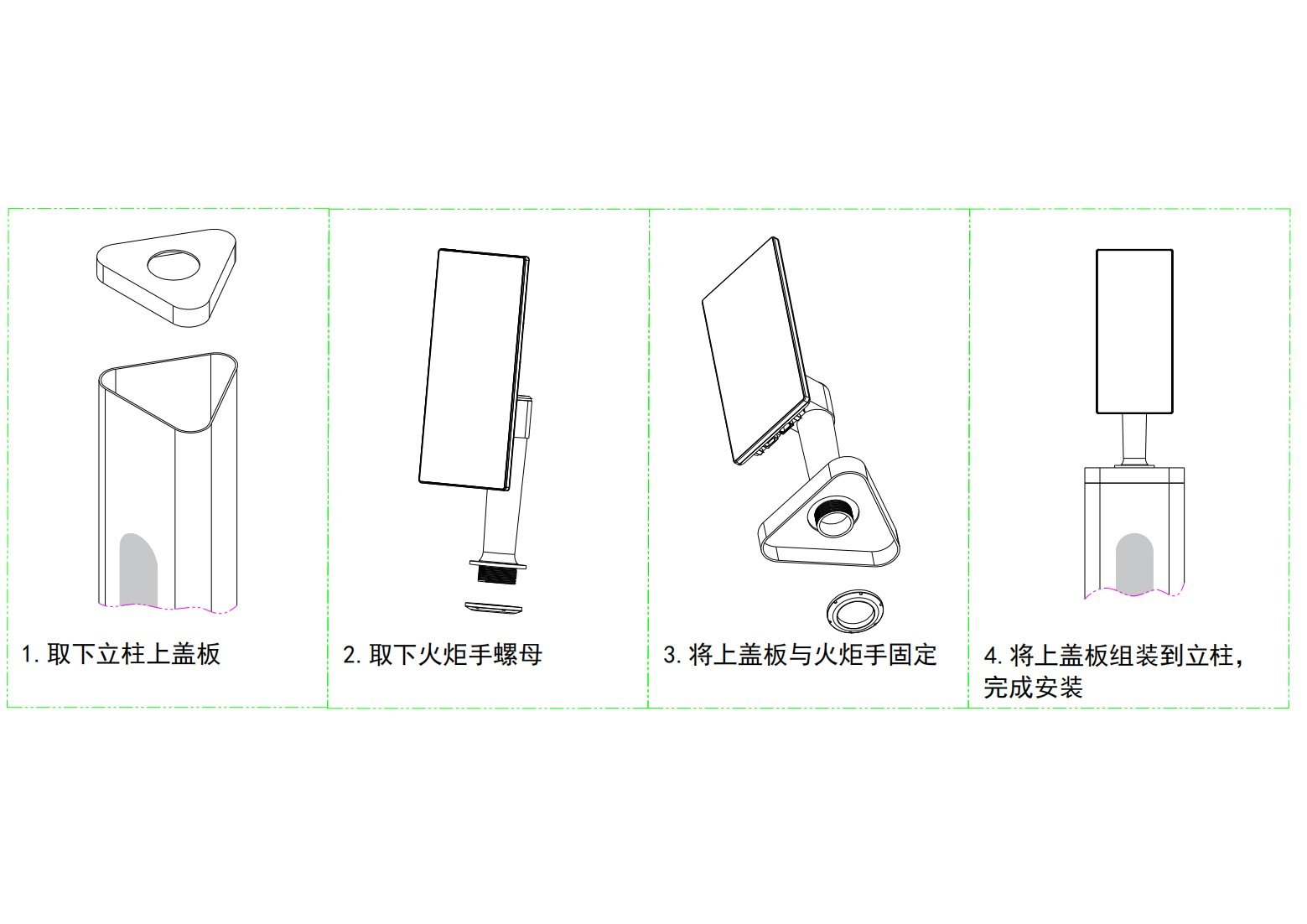
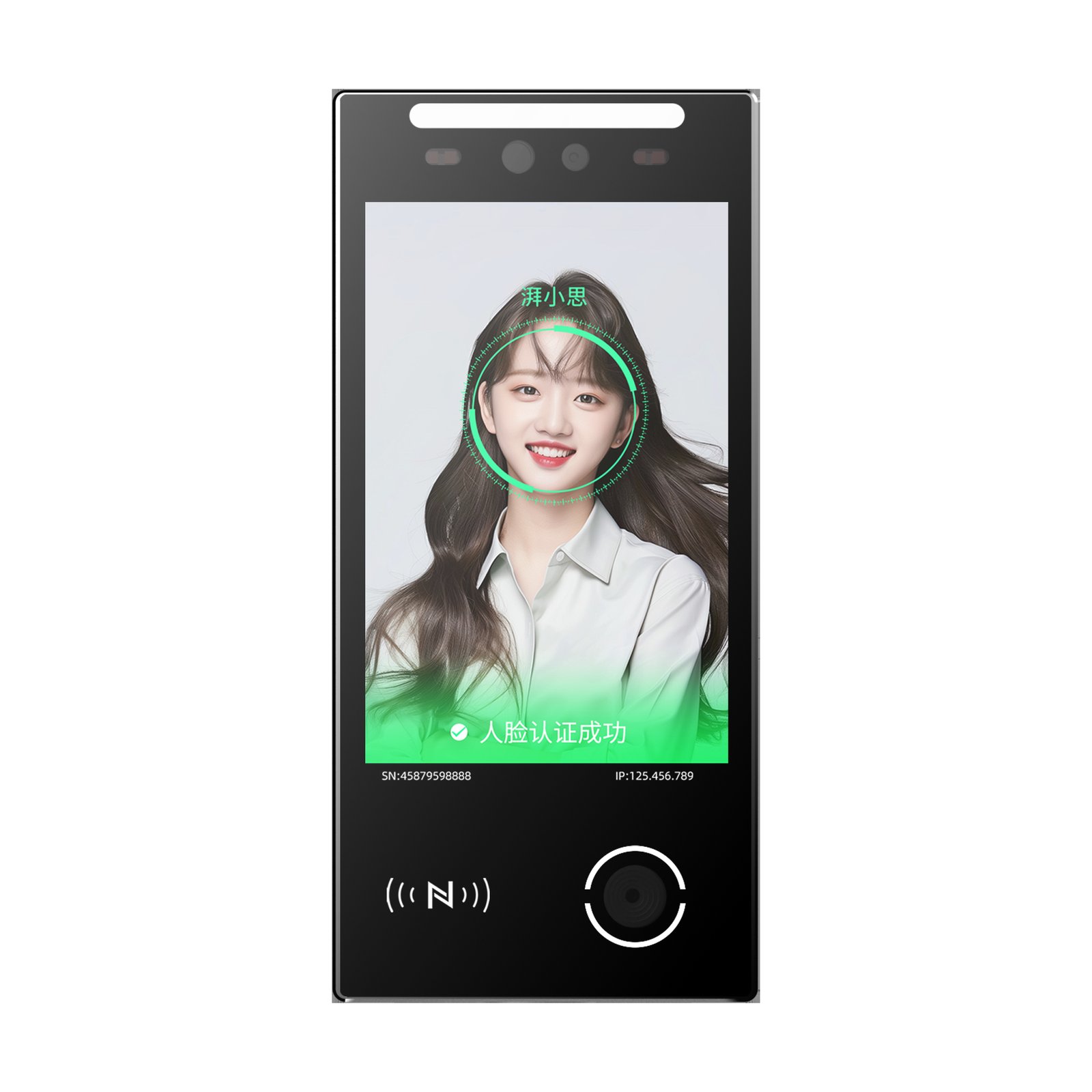
Front elements: IR camera, RGB camera, white fill light, IR fill light, 8-inch HD touch screen, QR module and card module. Mounting: turnstile, 86-box, flat-wall and pole.
Avoid backlight, direct sunlight or close strong light on the reading area, which degrades recognition and interferes with the temperature module.

Technical Specifications
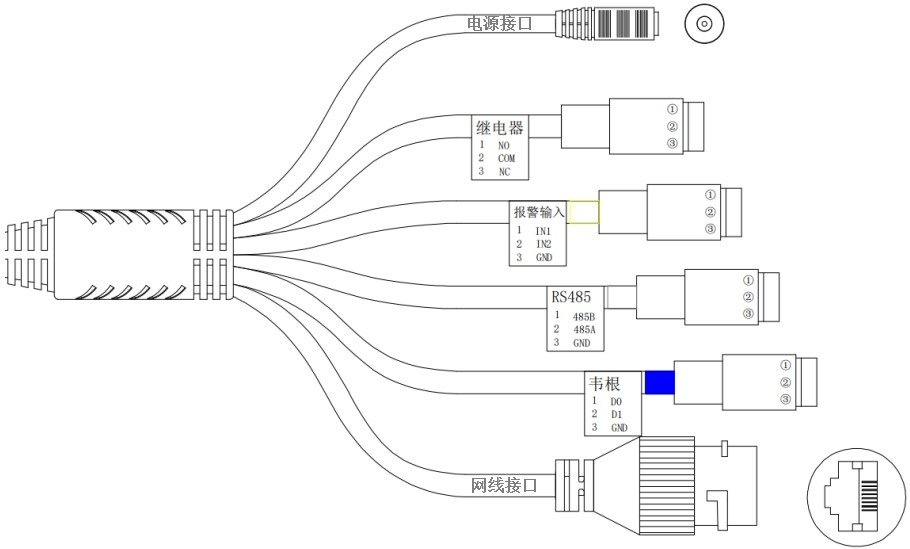
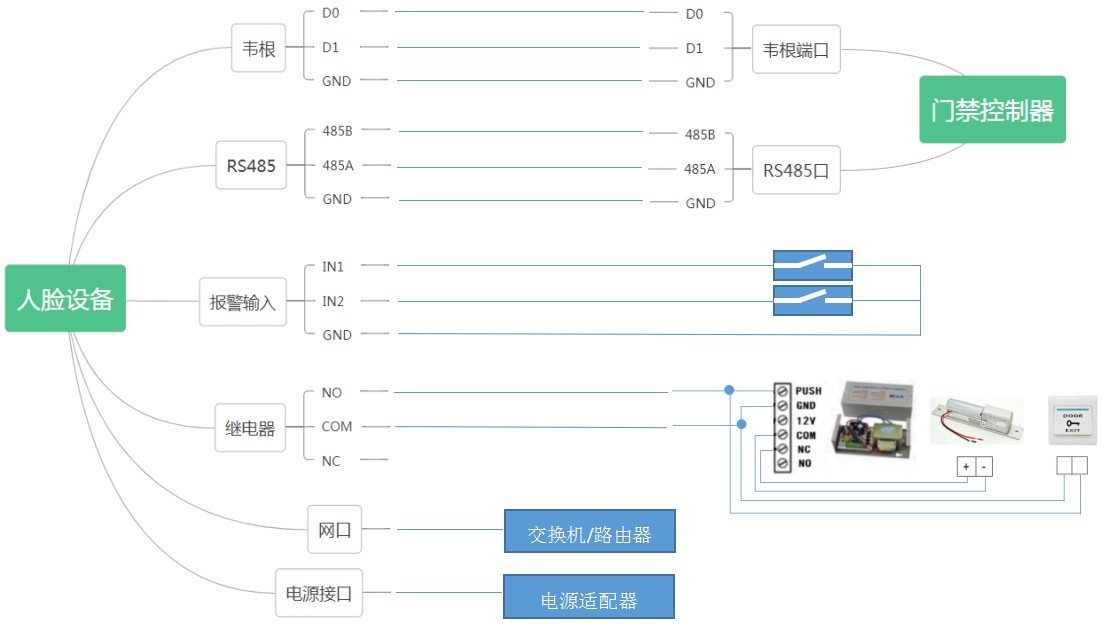
Linux OS, 8GB storage (16G/32G expandable), ARM Cortex A7 MP2 1GHz; 8-inch touch screen 800×1280. Comm: 10/100M port, 2.4G WiFi, RS485, Wiegand 26/34, 4G optional; relay 30V/1A, 2 alarm inputs. Power DC 9–24V (12V recommended), max 16W. See the Specs card on the right.
Operating Modes
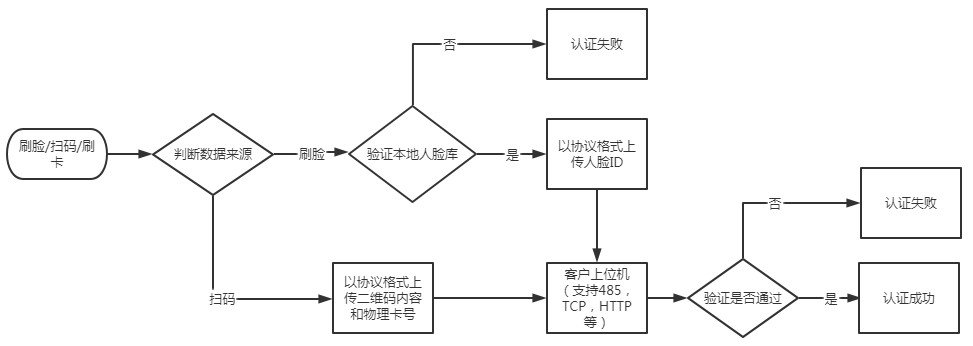
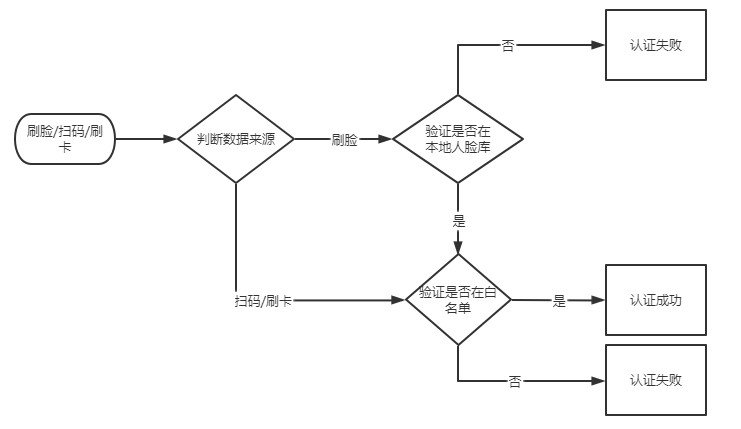
Transparent mode: face matches local DB only, card/QR output directly with no auth flow. Protocol mode: requires a host receiving data via 485/TCP/HTTP and returning results (protocol doc on official site). Dev mode: currently card read/write only. Whitelist mode: card/QR/face pass after local whitelist match.
Network & Backend Login
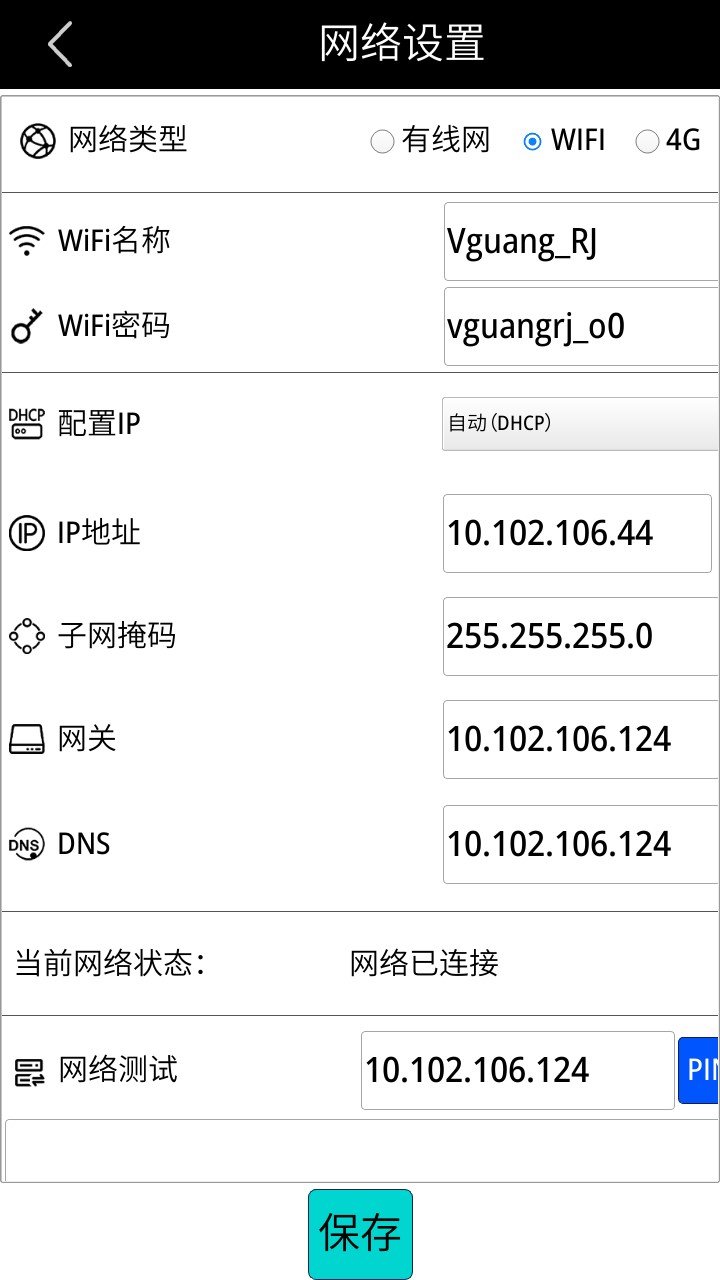
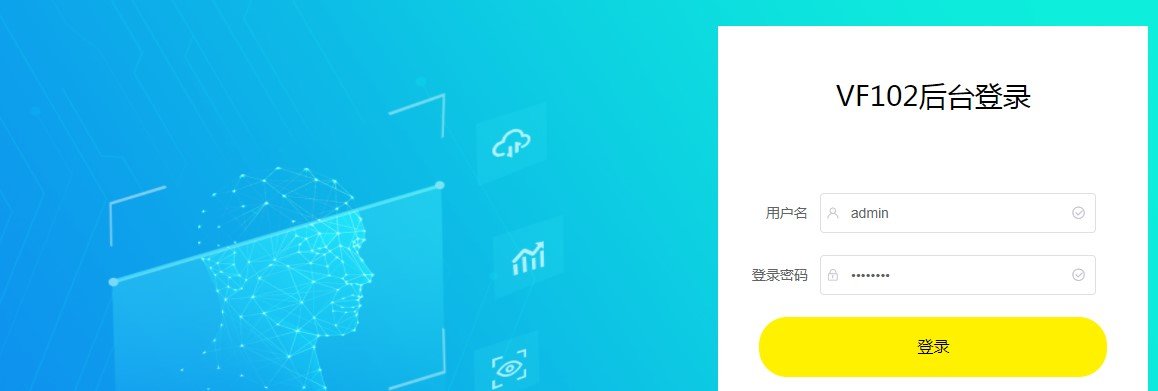
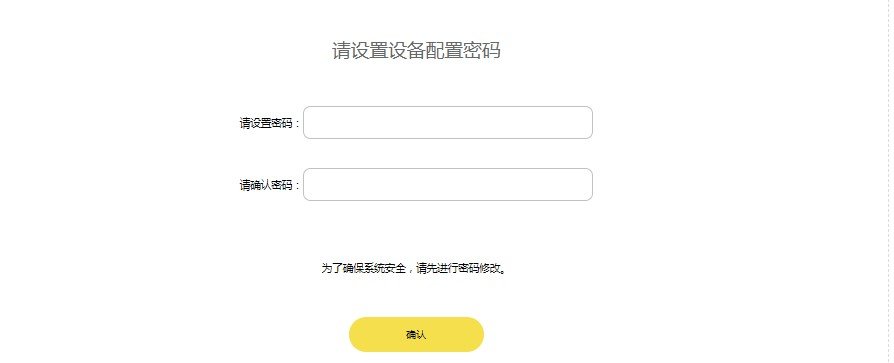
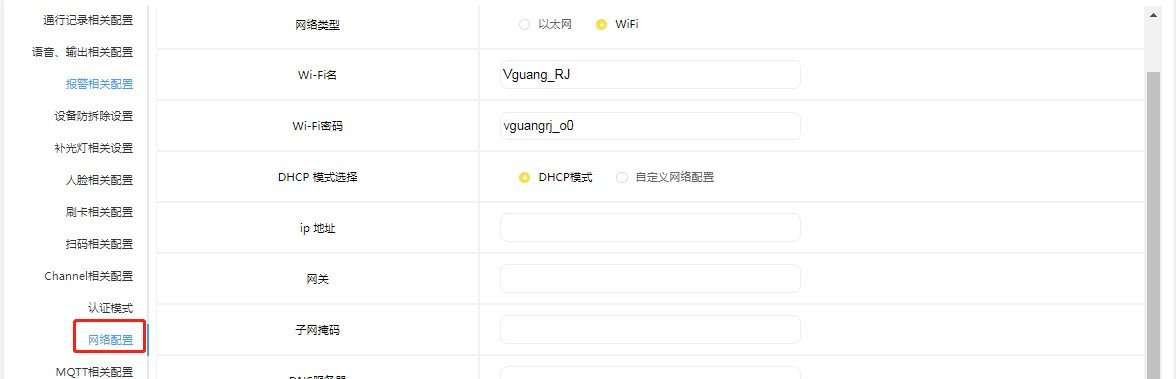
After connecting, the screen shows network icon (top-right), device IP (bottom-right), time (top-left) and SN (bottom-left). Put PC and device on the same network, browse http://deviceIP:8060/ to enter the backend; default user admin, password password (factory weak credential — change the default password immediately after first login). After login set the device config password for mode switching, upgrade and reset.

Face Enrollment
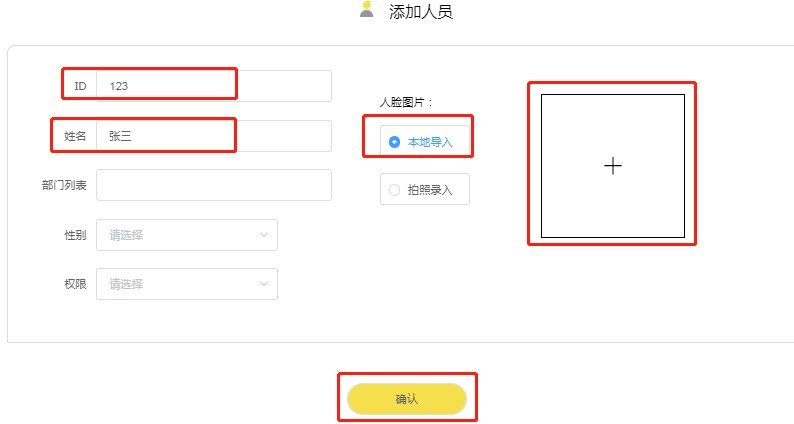
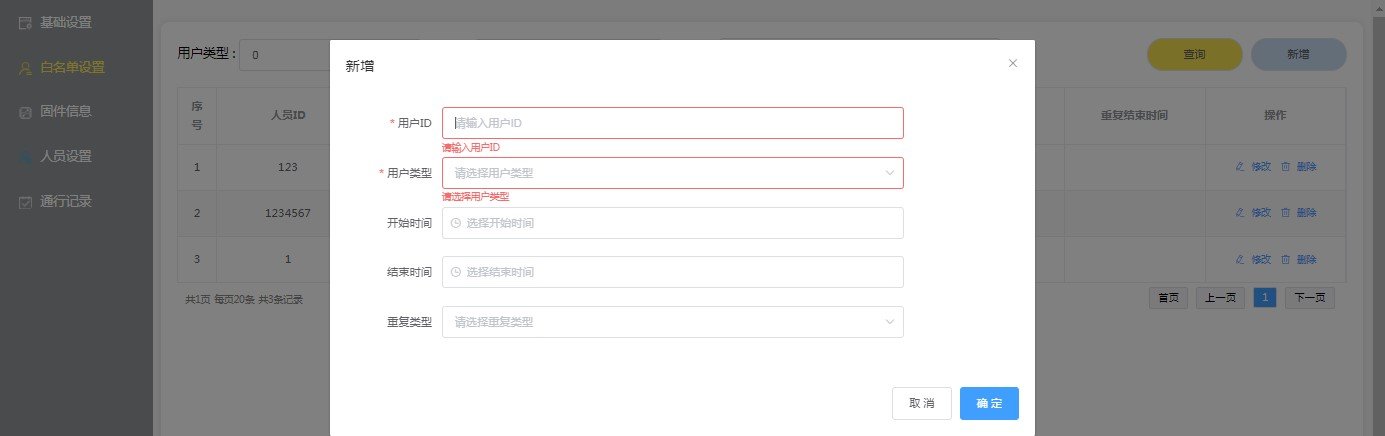
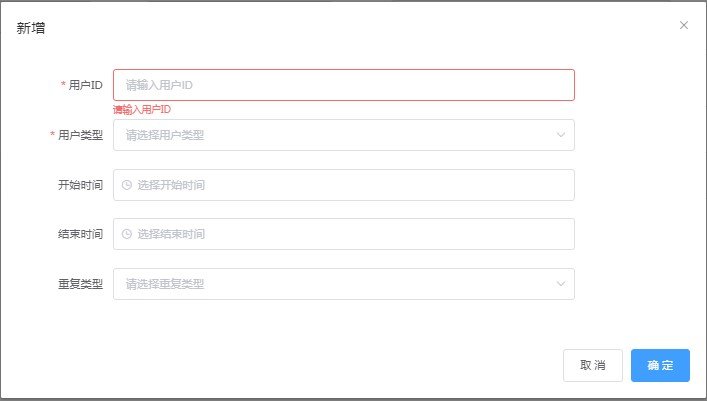
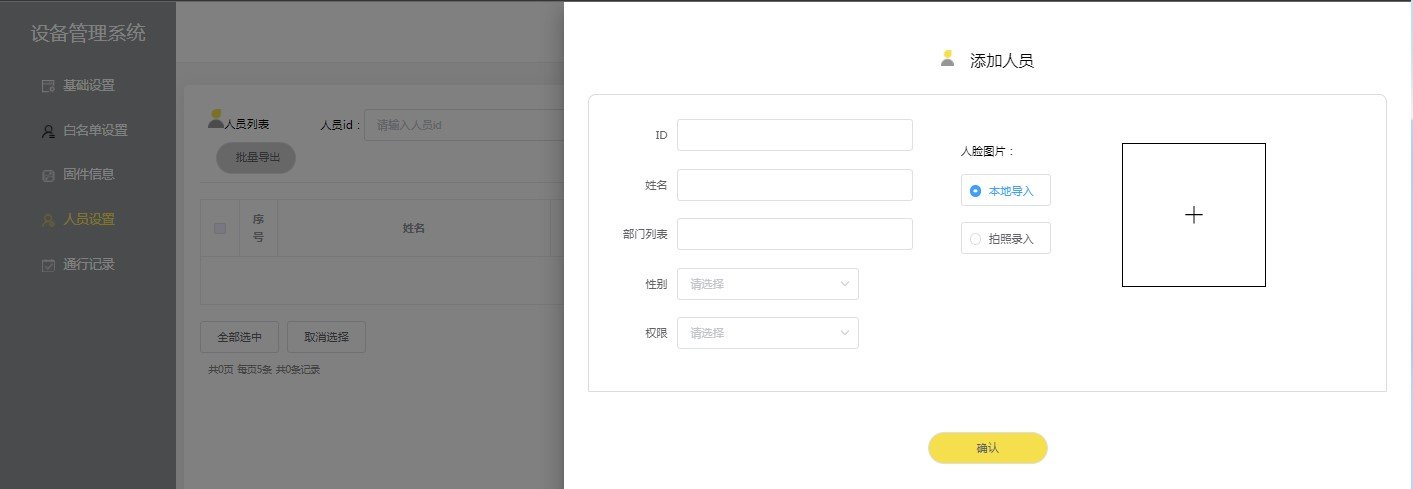
Scenario 1 (online, face-only pass): backend → add person → upload photo or capture → set transparent mode. Scenario 2 (offline): factory default transparent mode, just capture to enroll. Scenario 3 (whitelist): add person ID and validity in whitelist settings, then QR/card opens.
Backend Configuration
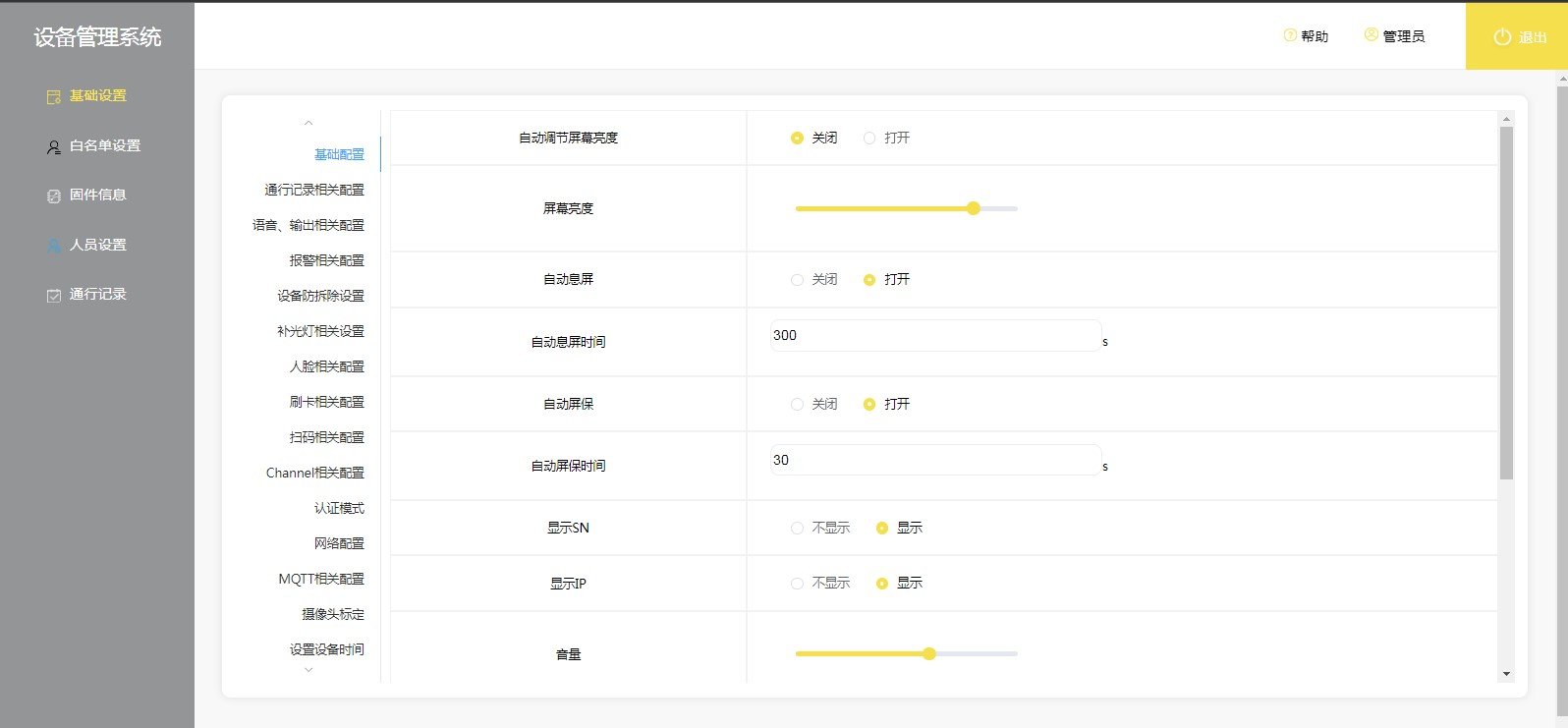
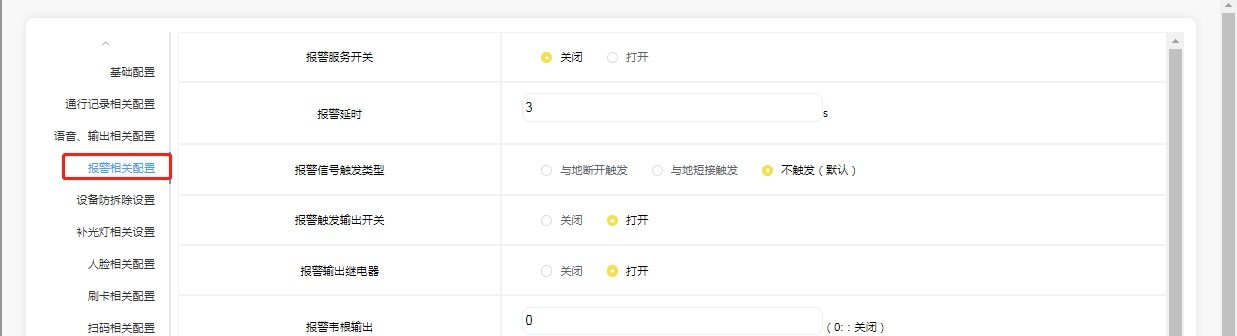
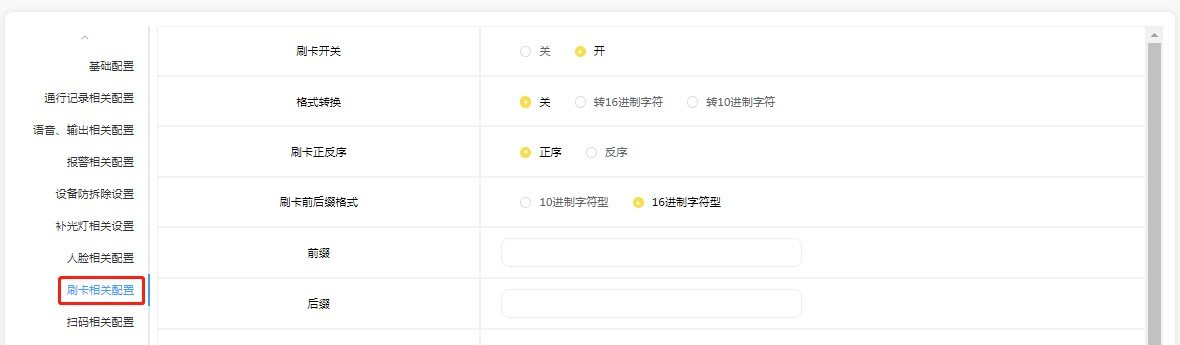
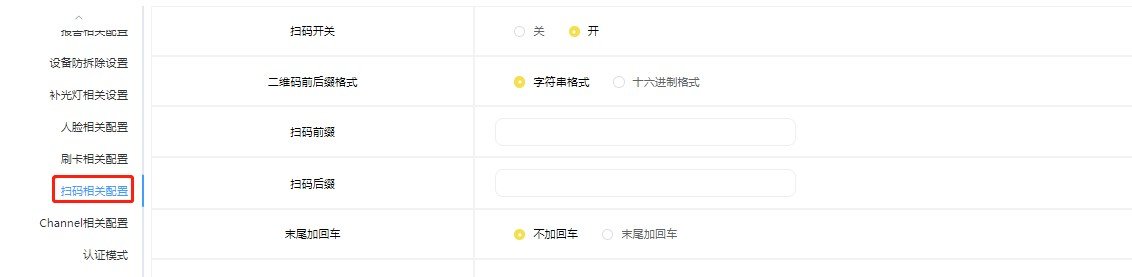
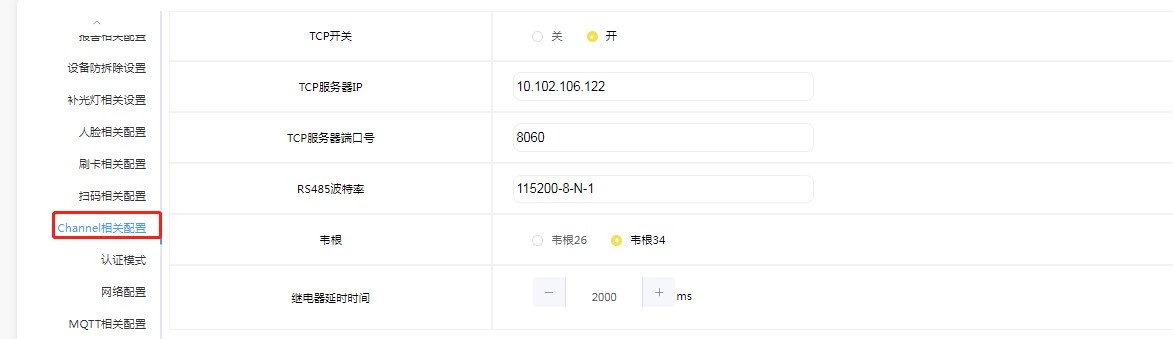
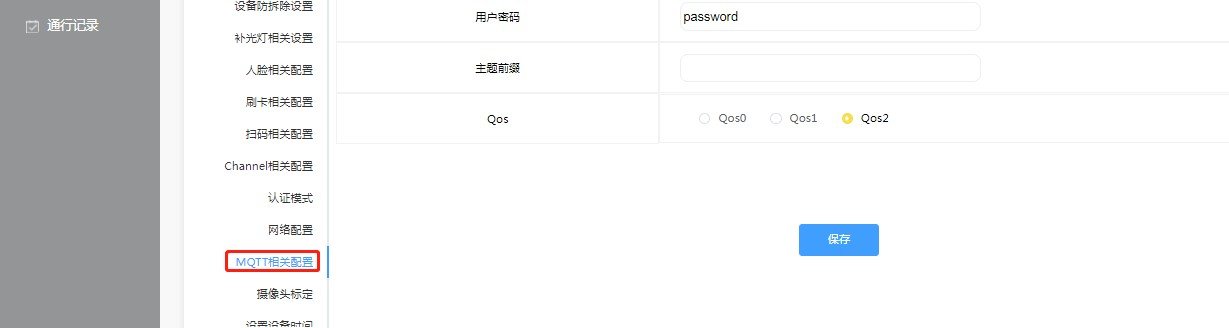
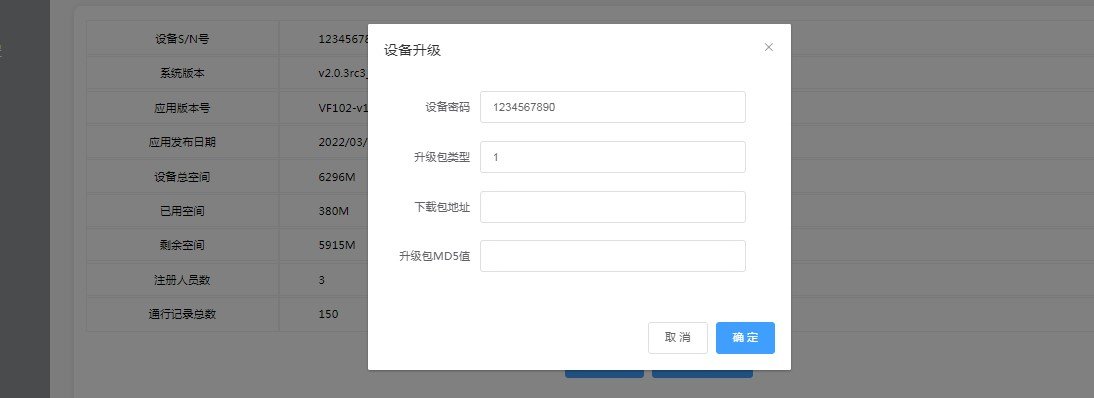
Basic settings: brightness, auto screen-off, screensaver, logo/screensaver image, volume, auto time/zone. Voice & output: per-event voice, relay, 485 and Wiegand for face/card/QR. Face config: enroll/recognize threshold, liveness, mask detection, distance. Auth mode: recognition type (face/card/code), card/face work mode (transparent/protocol/dev/whitelist) and online verification channel. Whitelist, firmware, personnel and records are all managed in the backend.
Installation Notes
Enrollment photo: 80–512px, 50–300K, 512–800 wide / 640–1024 high, JPG, natural photo without filters/occlusion. Unused pins must be insulated; short-circuit damage from missing insulation is user responsibility. Avoid backlight and strong direct light; strong light interferes with the temperature module.
Video Tutorials
VF105 安装与调试演示
Watch videoFAQ
Can it work offline?
Yes. The local face database supports normal access; once connected to the network, permissions and records sync automatically.
How do I switch the recognition / operating mode?
Configure transparent / protocol / whitelist modes in the device backend or the Koodle Cloud platform; the device applies the change immediately.
How does the temperature-measurement version work?
The temperature model measures body temperature during face verification; you can set the temperature alarm threshold in the backend (default 37.3°C).