
QT960扫码
QT960 扫码设备使用手册:涵盖产品外观、商品参数、接口定义、设备配置与常见问题。

前言
感谢使用提供的QT960扫码设备。认真阅读本文档,可以帮助您了解此设备功能、特点、以及快速掌握设备的使用、安装方法。
产品简介QT960是一款嵌入式安装的扫码设备,可以应用于自助机、公交扫码、过道闸机等场景,具备多种输出接口,支持USB/RS232/TTL。
产品特点1,QT960扫码设备支持快速扫码。2,体积小,厚度仅为23.8mm。3,识读速度快,精度高,识读速度最快可达0.1秒。4,操作简单,搭配人性化使用工具,使设备调试更便捷。
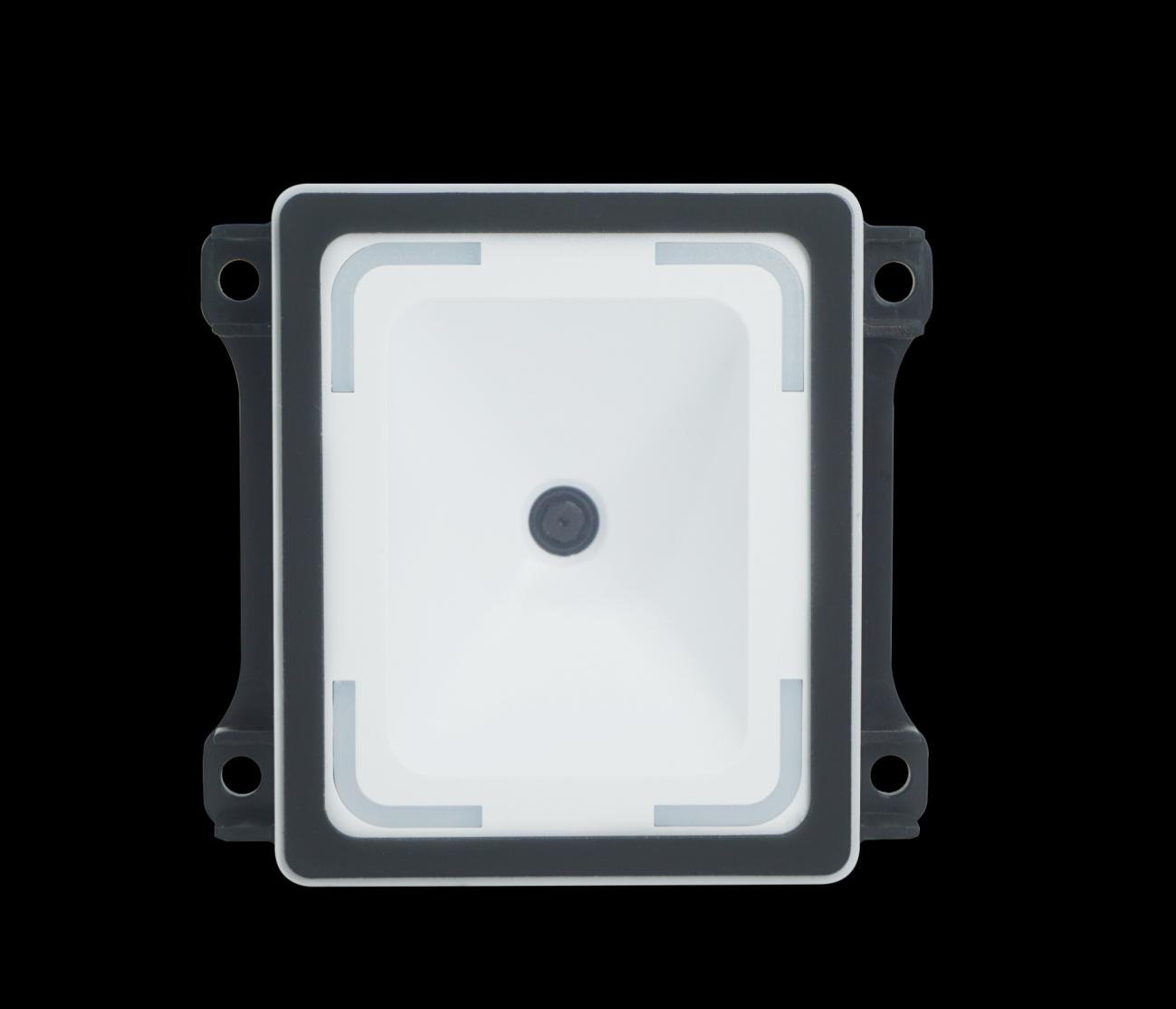
产品外观
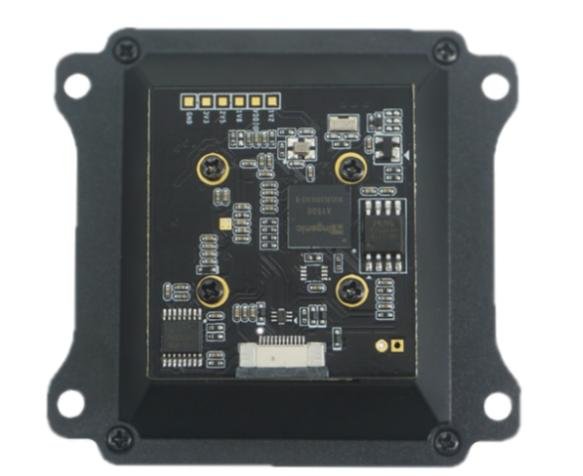
整体介绍固定孔指示灯识读窗
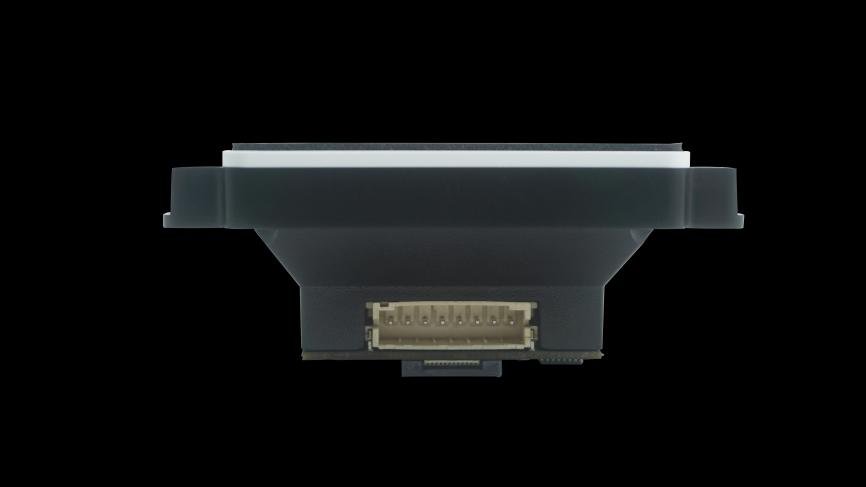
产品尺寸图图 2.1 产品主视图图 2.2 侧视图图 2.3 侧视图
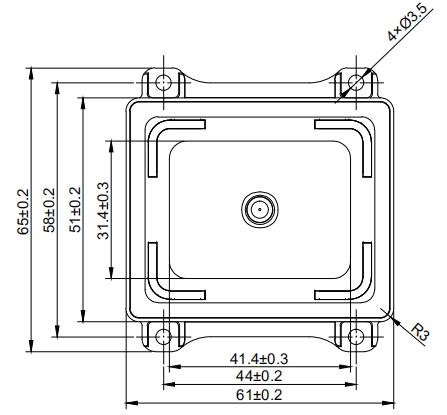
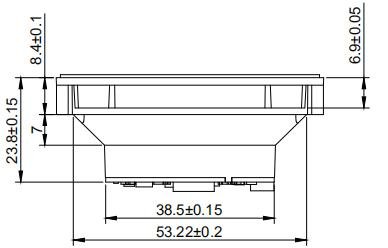
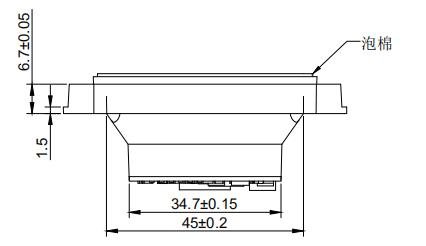
商品参数
常规参数常规参数支持接口USBRS232TTL(接口电压3.3V)指示方式白灯闪烁蜂鸣提示图像传感器 30万像素CMOS 传感片最大分辨率 640480操作系统 Windows(xp.7.8.10)安装方式 嵌入式安装产品尺寸 65mm61mm23.8mm识读窗尺寸 41.4mm31.4mm产品材质 PC+ABS
识读参数二维码识读参数识别码制QRCode、EAN-
EAN-
ISBN-
ISBN-
CODE
CODE
CODE1
UPC、ITF、Code Bar等解码支持 手机屏幕识读景深 0mm-100mm读取精度 ≥10mil读取速度 50ms每次(平均),支持连续读取读取方向 360度视场角 水平62° 垂直49°
电气参数须在连接好设备之后,才允许提供电源输入。如果在线缆带电时接插或拔离设备(带电热插拨),将会损坏其电子部件,请确保在进行线缆插拨时已切断电源。不良的电源连接、或过短间隔的电源关闭开启操作、或过大的压降脉冲都可能导致设备不能处于稳定正常的工作状态,需保持电源输入的稳定。在关闭电源输入后,需间隔2 秒以上才可以再次开启电源输入。电气参数工作电压 DC 5V工作电流 110mA额定功耗 550mW
工作环境工作环境参数静电防护 接触放电4KV(接口部分)工作温度 -10°C-60°C存储温度 -40°C-80°C相对湿度 5%-95%(无凝结)(40℃下)环境照度 0-80000Lux(非阳光直射)(纸质码外界环境光照强度需50Lux以上)
接口定义
8PIN 接口定义PIN# Signal Name I/O 说明1 TTL_RX Iutput 串口逻辑电平输入2 TTL_TX Output 串口逻辑电平输出3 GND - 电源地4 VCC - 电源输入5 RS232_RX Iutput 串口232电平输入6 RS232_TX Output 串口232电平输出7 Data- - USB 数据-8 Data+ - USB 数据+Pin1Pin8 4.2. 12PIN FPC 接口定义注意事项:1,VCC是 5V 供电。2,当配置输出方式是 RS232 时,需要通过 PIN
PIN5 脚来接收\发送数据。3,当配置输出方式是 TTL 时,需要通过 PIN
PIN12 脚来接收\发送数据。PIN# Signal Name 说明1 VCC 电源正2 VCC 电源正3 GND 地4 UART1_RX_3V3 TTL 串口接收5 UART1_TX_3V3 TTL 串口发送6 USB_D- USB数据负7 USB_D+ USB数据正8 GND 地9 UART2_TX_3V3 TTL 串口 2 发送/GPIO10 GPIO_L3V3 预留,电平 3.3V,默认拉高11 MRST_IN_L3V3 外部复位引脚,低电平复位12 UART2_RX_3V3 TTL 串口 2 接收/GPIOPIN12PIN1
设备配置
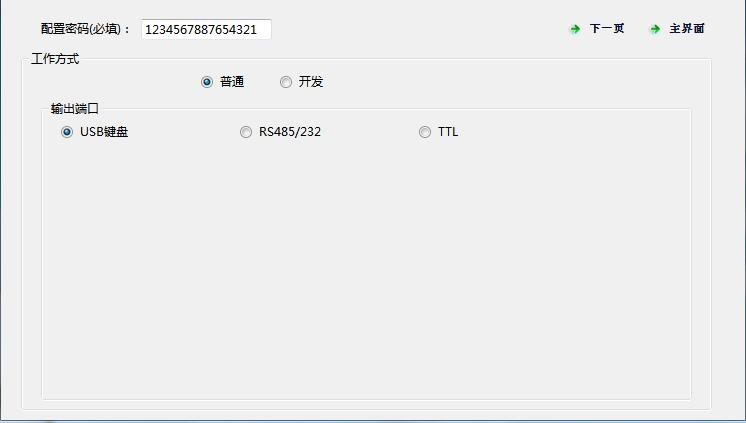
利用VguangConfig 配置工具对设备进行配置。图 5.1 配置工具(1)图 5.2 配置工具(2)具体配置方法,可以参考官网“VguangConfig配置工具使用手册
常见问题
1,USB配置成开发模式后,无法连接配置工具。答:需要利用扫码配置,配置成普通模式,断电重启,即可重新连接配置工具,也可直接使用扫码配置。2,配置成开发模式后,扫码没有反应。答:配置开发模式时,二次开发选项统一选择“微光通信协议”,选择其他的方式均会导致扫码无反应。3,使用RS232或者TTL时,串口调试工具收不到数据或收到的是乱码。答:确保串口调试工具的波特率与扫码器配置的波特率是一致的。如果波特率一致,依旧乱码,可以检查一下串口线或者TTL转USB模块。4,串口使用开发模式时,收到的数据与原始内容有区别。答:开发模式下,扫码器是以协议格式上传数据的,含有命令头和校验字等内容。具体解析格式可参考官网《微光通信协议2.10》
联系方式
Video Tutorials
QT960 产品演示
Watch videoFAQ
How can I get the latest firmware for this product?
Firmware and upgrade packages require submitting your company information for approval; once approved, a download link will be sent. You can also upgrade online from the device backend.
The manual does not match the actual device?
Always refer to the device nameplate label and the latest version of the manual. If you have questions, contact Koodle technical support for assistance.